Audience: event administrators and client administrators. Applies to: plans that include the registration form builder. If Invite lists shows a padlock in the menu, it isn't in your plan.
Send a reminder to the people an invite list invited who haven't registered yet, leaving out anyone emailed too recently. It uses the list's Invite reminder email, and nobody's status changes.
Before you start
- The invitations must have gone. A reminder goes to people who are still Invited, so people waiting for their first invite aren't reminded. See Send or schedule invitations.
- The list needs a published Invite reminder email, chosen in its Emails section. See Create an invite list.
- People who registered, declined, unsubscribed from the event's emails, or whose address has bounced for good, are never reminded.
Send the reminder
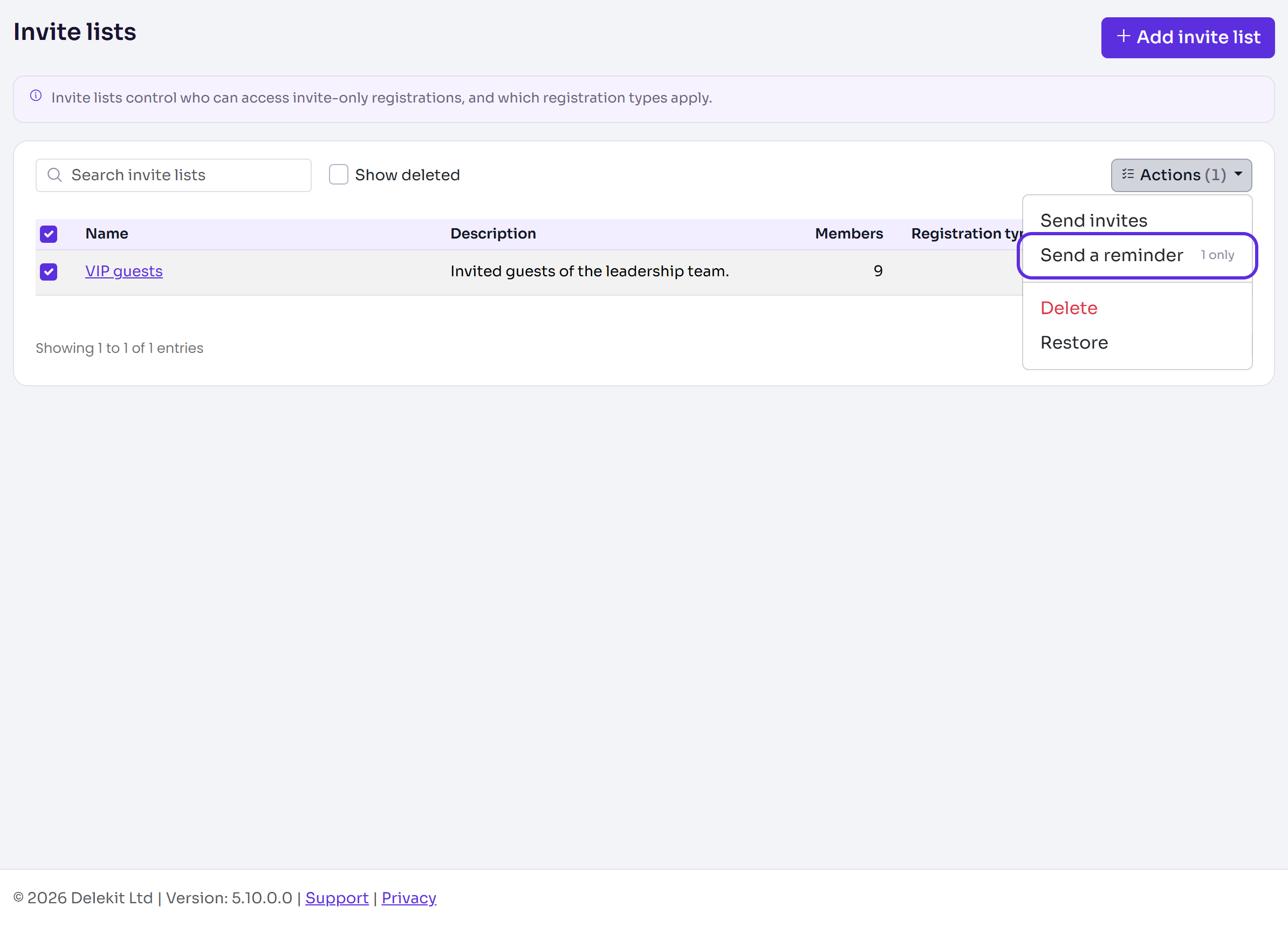
In the menu, select Registration, then Invite lists. Tick the list, then select Actions › Send a reminder. (Or open the list and select Send a reminder.)
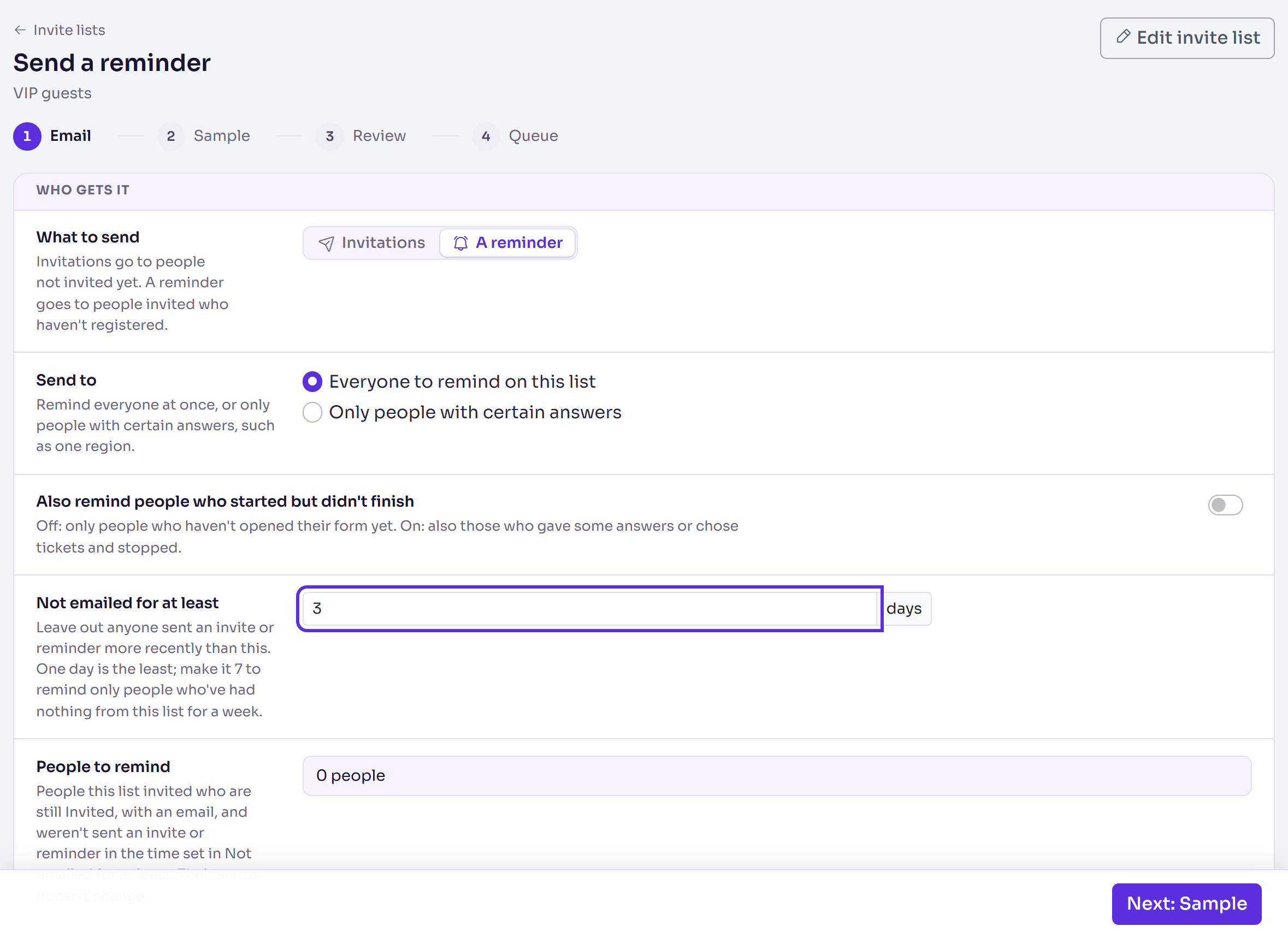
In Send to, choose Everyone to remind on this list, or Only people with certain answers to remind just some of them.
Turn on Also remind people who started but didn't finish to include people who gave some answers or chose tickets and stopped. Off, only people who haven't opened their form yet are reminded.
In Not emailed for at least, enter how many days must have passed since someone's last invite or reminder from this list, from 1 to 90. For example, 7 reminds only people who've had nothing from the list for a week.
Check People to remind, and Left out, which says how many each rule leaves out.
Select Next: Sample, Next: Review and Next: Queue, as for invitations. Choose Send now or Schedule for later.
Select Queue followed by the number of reminders, then select it again in the pop-up.
What happens next
- The reminders go out from the email queue. Everyone stays Invited.
- Scheduled: who gets one is checked again just before the time, so anyone who has registered by then isn't sent one.
- If you cancel a reminder send on the Email queue, nobody's status changes, and reminders already sent stay sent.
Check it works
In the menu, select Registration, then Email queue. The send is under Invite list sends, with (reminder) after the list's name.
If something isn't right
- People to remind is 0: nobody on the list is still Invited, or everyone was emailed more recently than Not emailed for at least allows. Left out says which.
- "Nobody on this list needs a reminder: …" Everyone invited has registered, declined, started registering or was emailed too recently.
- "This list already has reminders scheduled or being sent." Follow that send on the Email queue, or cancel it first.
- "Choose a published reminder email on the list, or check there's someone to remind, before sending." Choose and publish an Invite reminder email in the list's Emails.
Related articles
Still stuck? Contact Delekit support.
Was this article helpful?
That’s Great!
Thank you for your feedback
Sorry! We couldn't be helpful
Thank you for your feedback
Feedback sent
We appreciate your effort and will try to fix the article