Audience: event administrators and client administrators. Applies to: all plans.
What you see
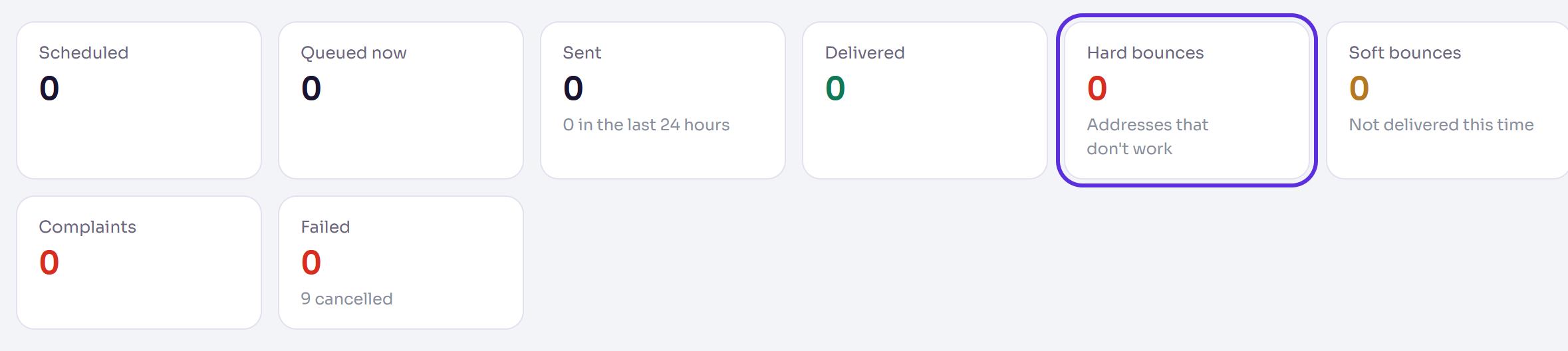
An attendee shows Hard bounce, Soft bounce, Spam complaint or Unsubscribed on their page and in the Attendees list, and the Email queue counts Hard bounces, Soft bounces and Complaints. Hover over the label to see when it happened and what it means.
Why it happens
- Hard bounce: the address doesn't exist, or their mail server refused it for good. Two soft bounces in a row, with nothing delivered in between, count as a hard bounce too.
- Soft bounce: not delivered this time, but the address works (a full mailbox, a busy server). It may get through next time, so it usually needs nothing.
- Spam complaint: they marked one of your emails as spam.
What Delekit does
- After a hard bounce, invites, reminders and communications no longer go to that address. When it counted as hard only because of two soft bounces, and a later email to it is delivered (a confirmation, say), they go to it again.
- Hard bounces count against your organisation's sending; soft bounces don't. If too many bounce, Delekit pauses your invites and communications until its team has looked into it.
- A spam complaint unsubscribes the address from all your organisation's events' invites and communications. Confirmations, tickets and codes still reach them.
How to fix it
In the menu, select Attendees, then View all.
In the email delivery filter (Any email delivery), choose Hard bounce, Soft bounce, Spam complaint or Unsubscribed.
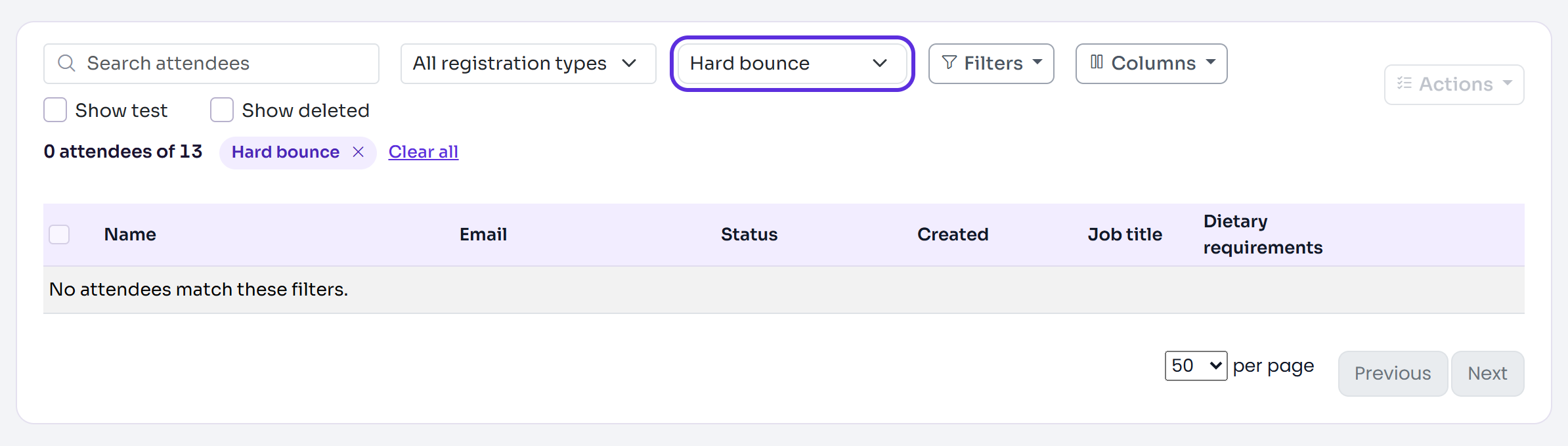
For a hard bounce, check the address with the person, then open their page, correct their Email and save. Their emails that haven't gone yet are sent to the new address.
Send them what they missed with their page's Resend button. See Send or resend an email to one attendee.
For a spam complaint, don't email them again. They're listed on Registration › Unsubscribes; only remove them from it if they ask you to.
Related articles
- Check your emails on the Email queue
- Email reports: delivered, opened, clicked
- Send or resend an email to one attendee
Still stuck? Contact Delekit support.
Was this article helpful?
That’s Great!
Thank you for your feedback
Sorry! We couldn't be helpful
Thank you for your feedback
Feedback sent
We appreciate your effort and will try to fix the article