Audience: event organisers and on-site check-in staff. Applies to: events using the Delekit check-in app.
Scan attendees at the door of a breakout session or workshop to record who attended. What the app accepts depends on the session's Type: a Bookable session checks people against its booking list, and an Open to all session accepts anyone with a valid ticket or wristband.
Before you start
- The session exists in Sessions with the right Type.
- Agenda item sessions, such as lunch, appear in the app but aren't meant to be scanned.
Scan into a session
In the sessions list, select the session.
Check the counts. A Bookable session shows Expected and Waiting. An Open to all session counts only people who have been scanned.
On the toolbar, select QR Scan for tickets or Scan Tag for wristbands.
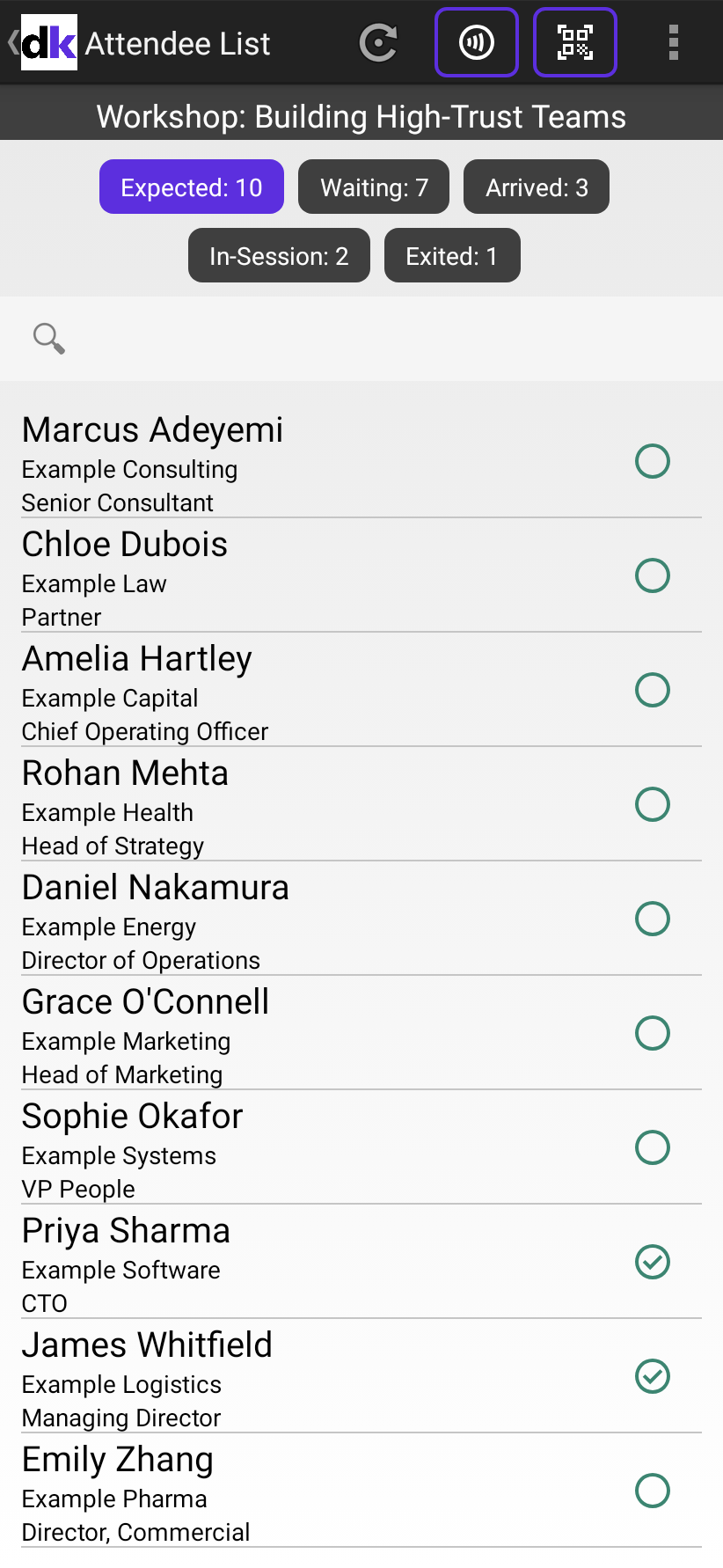
Scan each attendee.
When you've finished, go back to see the updated counts.
What happens next
- Attendees move from Waiting to In-Session, and the Arrived count goes up.
- Other devices see your scans after their next sync: when someone selects the refresh icon, and every 15 minutes. The menu shows when the list last updated.
- When devices are online, a second scan of the same person on any device shows Already Scanned.
- On the web, the session overview and the Session attendance report show who attended.
If something isn't right
- Not In Session appears: the attendee isn't booked on this Bookable session. See Let in someone who isn't booked on a session.
- The session isn't in the app: check it isn't hidden from the agenda, then select the refresh icon.
Related articles
Still stuck? Contact Delekit support.
Was this article helpful?
That’s Great!
Thank you for your feedback
Sorry! We couldn't be helpful
Thank you for your feedback
Feedback sent
We appreciate your effort and will try to fix the article