Audience: on-site check-in staff. Applies to: Bookable sessions in the Delekit check-in app.
When you scan someone who isn't booked on a Bookable session, the app asks whether to add them. Select Yes to book them onto the session and keep the scan, or No to turn them away and remove the scan. Open to all sessions never ask.
Before you start
- Agree with the organiser who may be let in without a booking, for example because of room capacity. The app doesn't check capacity.
Decide at the door
Scan the attendee's ticket or wristband as usual.
If they aren't booked, Not In Session appears, with "Name is not registered for this session, do you want to add them?"
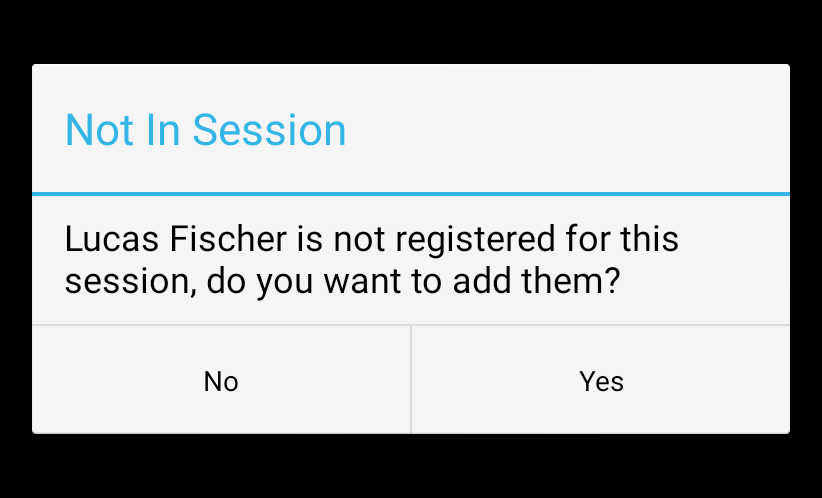
Select Yes to let them in. They're booked onto the session and checked in.
Or select No to turn them away. The scan is removed, and the app is ready for the next person.
What happens next
- Yes: the attendee joins the session's list, and counts as Expected and In-Session. The booking is sent to Delekit at the next sync, so it shows on the web too.
- No: the attendee isn't added. If they had been scanned into this session before, those earlier scans are removed as well.
- The same prompt appears for exit scans.
If something isn't right
- The prompt appears on top of Valid Scan: this happens when the device is offline. Your answer still applies.
- Someone on the waitlist got in without a prompt: the app treats waitlisted bookings as booked.
- You selected No by mistake: scan them again and select Yes.
Related articles
Still stuck? Contact Delekit support.
Was this article helpful?
That’s Great!
Thank you for your feedback
Sorry! We couldn't be helpful
Thank you for your feedback
Feedback sent
We appreciate your effort and will try to fix the article