Audience: sponsor admins and speakers' assistants using an event's portal. Applies to: events that use Delekit's sponsor and speaker portal.
Bring colleagues into the portal to share the work: someone from marketing for the logo and description, booth staff for their own tasks, or an assistant or agency for a speaker. Everyone you add signs in with their own email address, and you choose who receives the event team's emails.
Before you start
- You need the Admin role (sponsors) or the Assistant role (speakers). If Team isn't in the portal's menu, you don't have it: ask your admin or the event team to add people for you.
- Choose each person's role:
| Role | Who it's for | What they can do |
|---|---|---|
| Admin | A sponsor's lead contacts | Edit the profile, do the tasks and manage the team. |
| Booth staff | People working on the stand | See only the tasks meant for booth staff. No profile. |
| Speaker | A sponsor's speaker, or the speaker themselves | Edit the profile and do the tasks. |
| Assistant | A speaker's assistant or agency | Everything the speaker sees, and manage the team. |
- Being on the team isn't an event pass. Passes are registered separately.
Add someone
In the portal's menu, select Team.
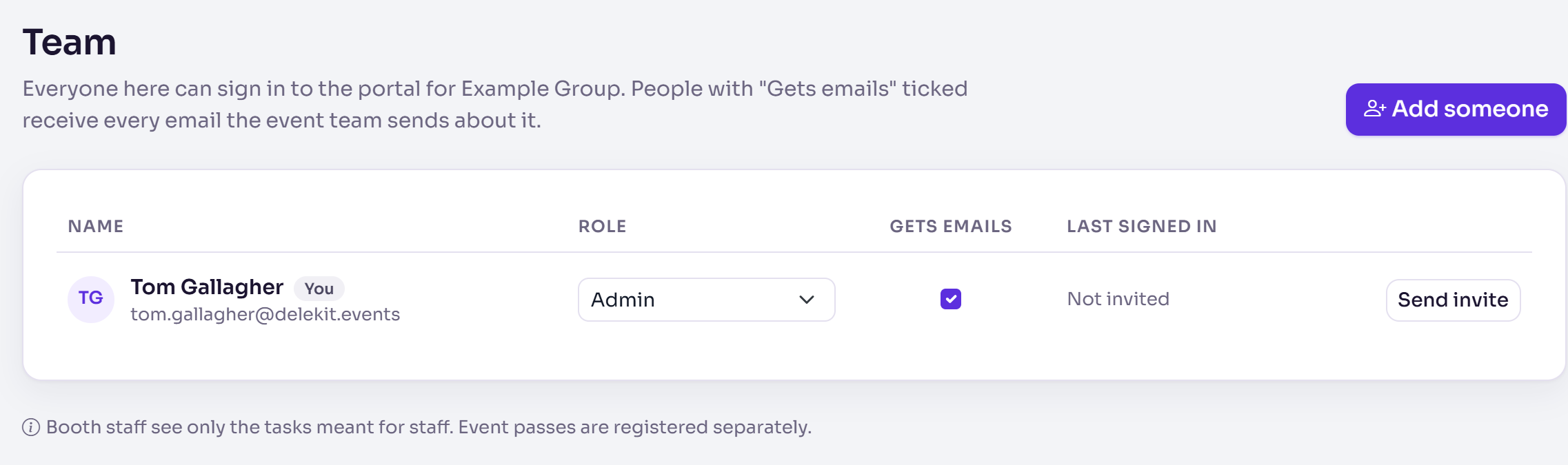
Select Add someone.
Enter their First name, Last name and Email.
Choose their Role.
Leave Email them an invitation now ticked to send their invitation, or untick it to invite them later.
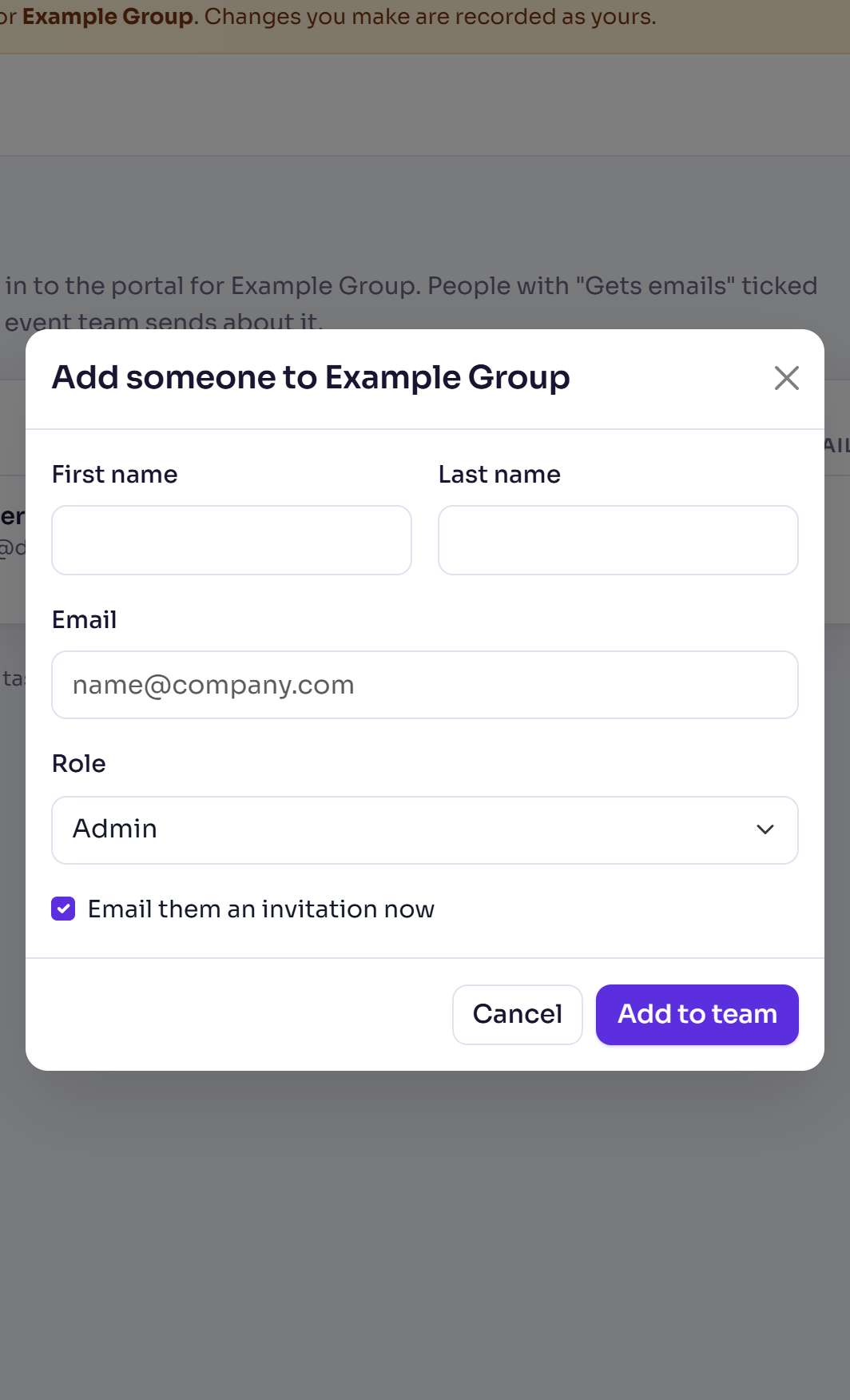
Select Add to team. You'll see, for example, "Hannah Lindqvist has been added and sent an invitation."
Manage the team
- Role: choose a new role in their row. It saves straight away.
- Gets emails: people with it ticked receive every email the event team sends about you, such as requests for changes. Untick it for anyone who shouldn't.
- Send invite or Resend invite: emails the invitation to someone who hasn't signed in yet.
- Remove: they can no longer sign in. You're asked to confirm first.
What happens next
- They get an email with a link to the portal's sign-in page, and sign in with the email address you entered. See Sign in to the event portal.
- Last signed in shows when they last used the portal, or Invited, not yet until they do.
- The event team sees everyone on your team too.
If something isn't right
- "They weren't sent an invitation. Invitations can't be sent yet. Please contact the event team." They're on the team; ask the event team to invite them once invitations are ready.
- "… is already on the team." That address is on the team already.
- "You can't remove yourself. Ask another admin, or the event team."
- "This is the only person who can edit the profile. Add someone else before removing them." Add another admin (or speaker) first.
- "Someone else on the team needs to be able to edit the profile first." You tried to make the last person who can edit the profile booth staff. Give someone else that role first.
Related articles
Still stuck? Contact Delekit support.
Was this article helpful?
That’s Great!
Thank you for your feedback
Sorry! We couldn't be helpful
Thank you for your feedback
Feedback sent
We appreciate your effort and will try to fix the article