Audience: people registering for an event. Applies to: every event.
Links to your registration can be forwarded, and anyone can type your email address. So before an event's pages show anything you've given, or let anyone change it, they email a 6-digit code to the address on your registration. Entering it proves the registration is yours.
When you're asked for a code
| Where | What the page says | What to do |
|---|---|---|
| The event's registration page, with an email that already has a registration | "We've found a registration for this email. To keep it safe, we'll send a code to confirm it's you." (or that the email "has already started a registration") | The code is sent straight away. Enter it and select Verify. |
| Your invitation link, once you've started registering | "You've already started your registration. To keep the details you've given private, we'll email a 6-digit code to …" | Select Email me a code, enter the code and select Continue. |
| Your personal link, once you've registered | "You've already registered. To see your registration, enter the email address you registered with and we'll email you a 6-digit code." | Enter your email, select Email me a code, enter the code and select Continue. |
| A link to cancel or decline, once you've registered | "To make sure it's you, enter the email address you registered with and we'll email you a 6-digit code." | As for your personal link. |
| A follow-up form you've already answered | "You've already sent your answers to this form. To see or change them, …" | As for your personal link. |
| A booking's guest details, in another browser | "This booking's guest details are managed by the person who booked. To carry on, we'll email a 6-digit code to …" | The code goes to the person who booked. |
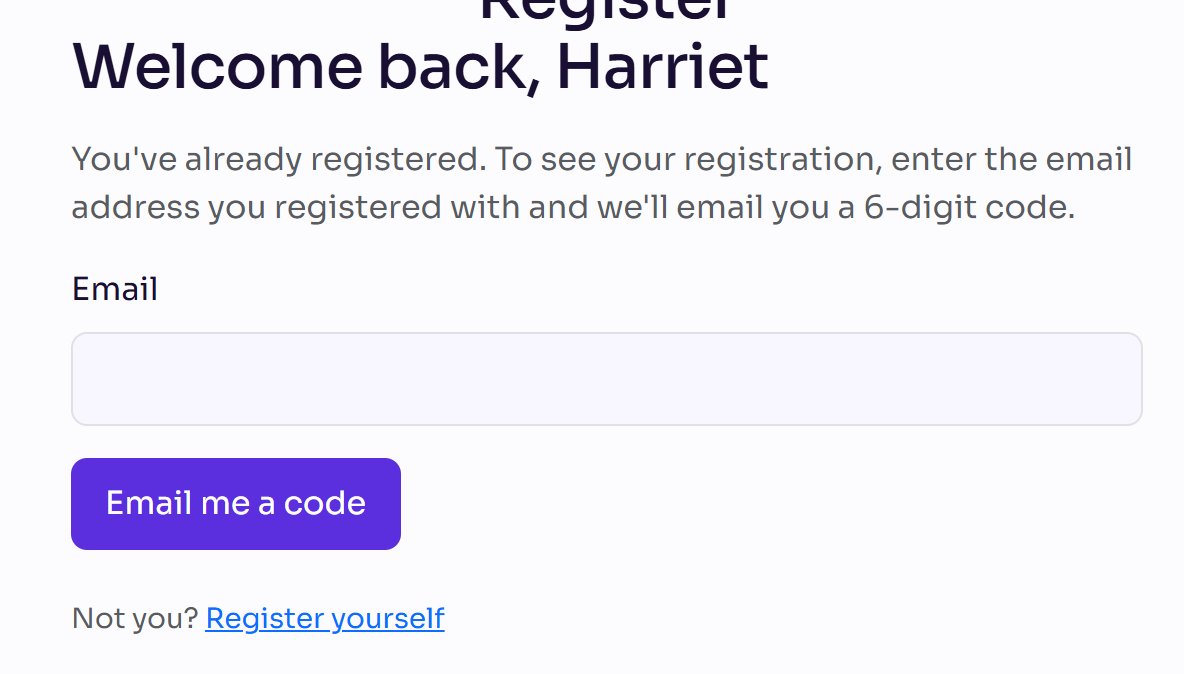
The page never shows your registration, or your full email address, until the code is checked.
Using the code
- The code expires in 10 minutes. If it has expired, ask for a new one: Send a new code, or Resend code on the registration page.
- You're not asked again for a while. Once you've entered a code, that browser can open your registration without one for 12 hours. A different browser or device asks again.
- The email address must match your registration. The code is only ever sent to that address.
- New codes are a moment apart. If you ask again straight away, the page says "We sent you a code a moment ago. Check your inbox (and spam folder), or ask for another in … seconds."
If the code doesn't come
- Check your spam or junk folder. The email is usually titled "Your verification code".
- Wait a minute, then ask for a new code.
- Make sure you're using the email address you registered with. If you no longer have it, contact the event's organiser.
If the code doesn't work
- "The code is invalid or has expired." Check you typed the latest code, or ask for a new one.
- "Too many attempts. Request a new code." Ask for a new code and enter that one.
- "That email address doesn't match this registration." Enter the email address you registered with.
- "Too many attempts. Please wait a minute and try again." Wait a minute before trying again.
Not you?
If someone forwarded you their link, the code step has Not you? with a link to the event's website or to Register yourself. Use it to make your own registration.
Related articles
- View or change your registration
- Cancel or decline your registration
- I haven't received my confirmation email
Still stuck? Contact Delekit support.
Was this article helpful?
That’s Great!
Thank you for your feedback
Sorry! We couldn't be helpful
Thank you for your feedback
Feedback sent
We appreciate your effort and will try to fix the article