Audience: people registering for an event. Applies to: events that sell tickets. Some events only let you book for yourself.
Book places for several people in one booking: choose a ticket for each person, give your own details as the person booking, then add each guest's details once you've paid. You can also book for other people without a place for yourself, where the event allows it.
Before you start
- You're the booker. Your details go on the booking, and the booking is yours to manage.
- Have your guests' details ready. The organiser may ask for each guest's name, their name and email, or their answers to the registration form.
- Each guest can register themselves instead. Send them the event's registration page link.
- A personal invitation link is for the person invited. It has no option to book without a place for yourself.
Book places for other people
Open the event's registration page and choose a Registration type if it asks.
Under Admission, select + until the number is the number of people coming, you included.
Under Your details, enter your own First name, Last name and Email.
Leave I am attending ticked if you're one of the people coming. Untick it if you're booking only for others.
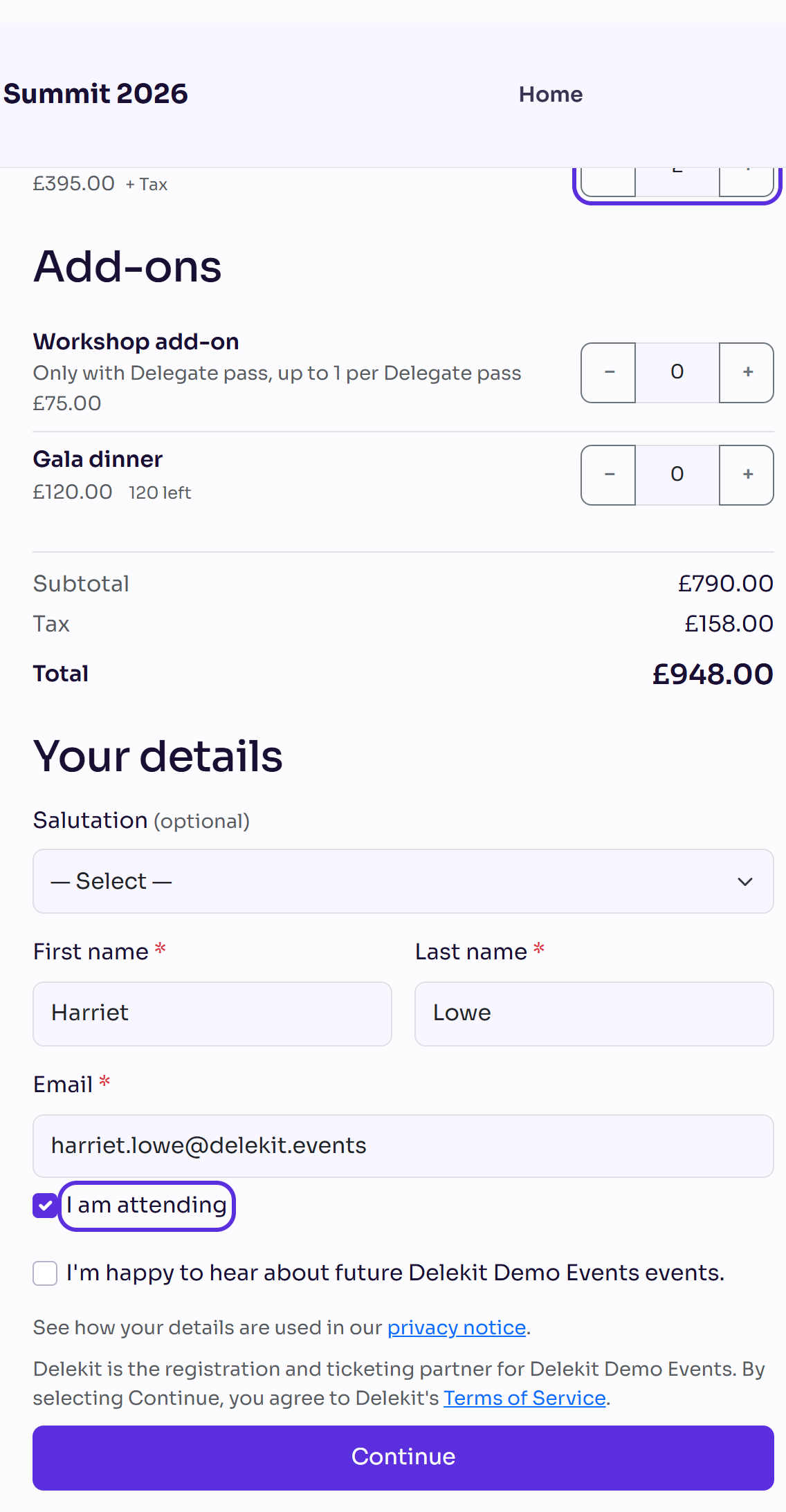
Select Continue, answer any questions on Additional information, and select Continue.
Pay on the Payment step, if the tickets have a price. See Pay for your registration.
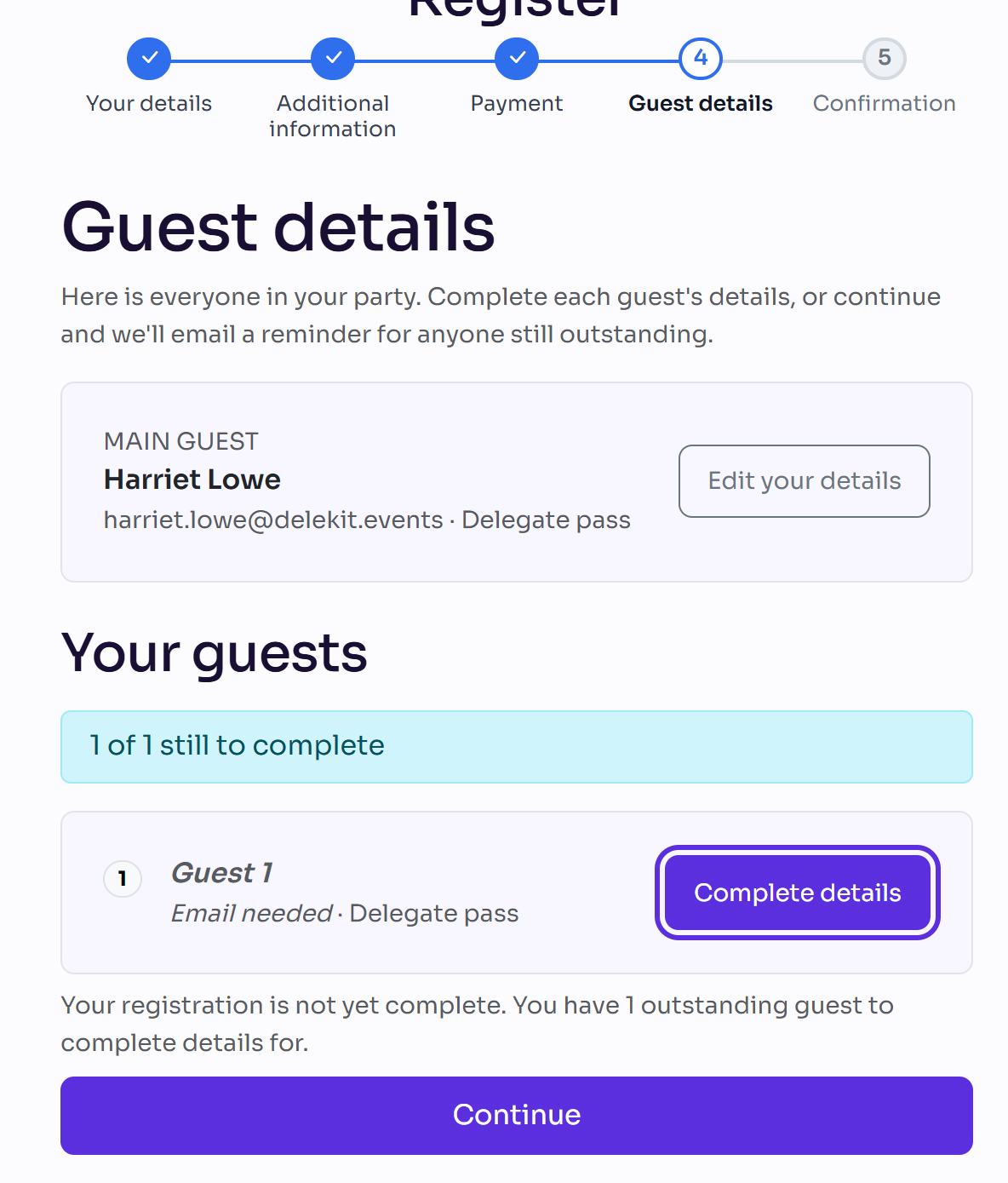
If the organiser asks for your guests' details, select Complete details next to each guest on Guest details. See Complete your guests' details.
What happens next
- Your booking is made for everyone at once. If you're attending, you're the Main guest.
- Each guest's place is confirmed once their details are complete. A guest whose email you gave can get their own confirmation email, if the organiser sends one.
- If you didn't book a place for yourself, you see a Booking confirmed page instead of a registration of your own.
- Some tickets only come with another one. A line such as "Only with …, up to 1 per …" under a ticket says which ticket it needs, and how many you can have.
Check it works
On Guest details, each guest shows Complete once their details are in, and the page says All guest details complete.
If something isn't right
- There's no I am attending option. The event only lets you book a place for yourself, or you're on a personal invitation link.
- "You can order at most … of …": the event limits how many of that ticket one booking can have. Choose fewer, or ask your guests to register themselves.
- "This event only accepts business email addresses. Please use their work email." Enter your guest's work email address.
- You want to cancel a guest's place: see Cancel or decline your registration.
Related articles
Still stuck? Contact Delekit support.
Was this article helpful?
That’s Great!
Thank you for your feedback
Sorry! We couldn't be helpful
Thank you for your feedback
Feedback sent
We appreciate your effort and will try to fix the article