Audience: people invited to or registered for an event. Applies to: every event. Whether you can cancel online, until when, and any cancellation fee are up to the organiser.
Cancel your registration if you can no longer come, or decline an invitation you can't accept. Cancelling releases your place and refunds what you paid, less any cancellation fee. If you booked for other people, you can cancel their places too.
Before you start
- Cancel a registration that's confirmed or on the waitlist. Use the cancellation link in your emails (for example Cancel your registration in your confirmation email, or Leave the waitlist), or Cancel my registration on your registration. See View or change your registration.
- Decline an invitation with the link in your invitation email, or a place you haven't paid for.
- Once you've registered, the link asks for a code first, unless you've entered one in this browser in the last 12 hours. See Why am I asked for a verification code?
- Cancelling happens as soon as you confirm. There's no second question.
Cancel your registration
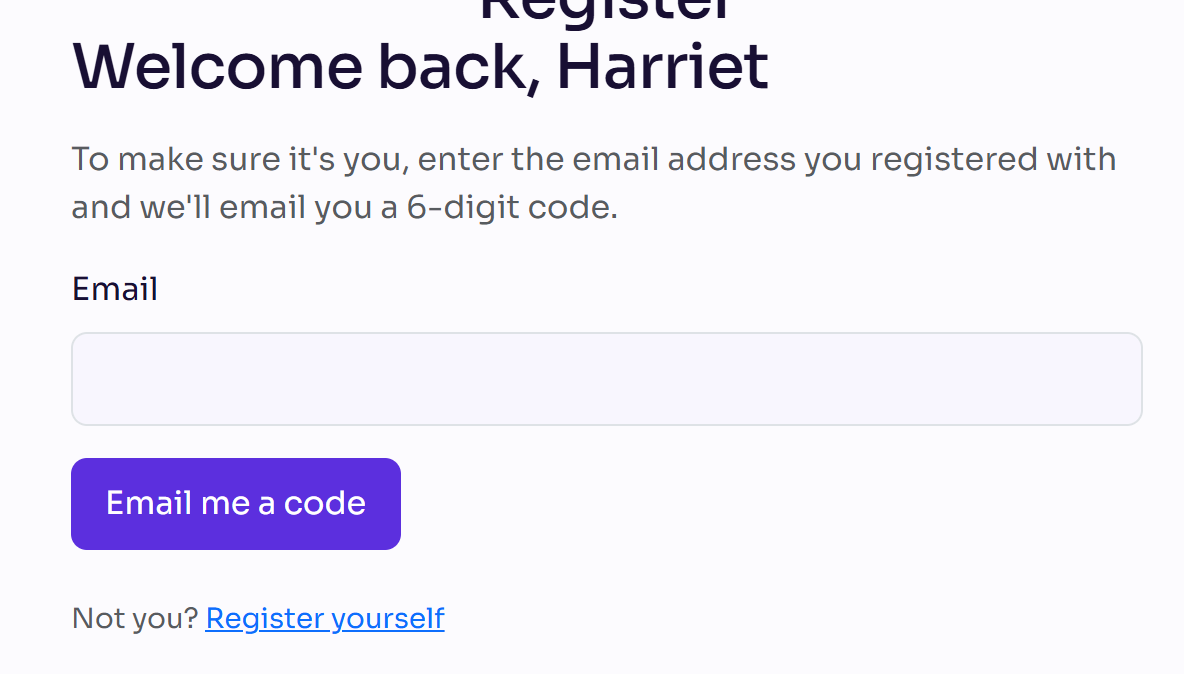
Open the cancellation link. If it asks, enter your Email, select Email me a code, enter the Code and select Continue.
Answer any questions the organiser asks, such as why you're cancelling.
If you booked for other people, tick each person to cancel. You're marked (you). Cancelling your own place cancels your guests' places too; untick yourself to cancel only guests.
Check the refund. It shows what you paid, any Cancellation fee and the Refund, and Total refund: when you cancel several people.
Select Confirm cancellation.
Decline an invitation
- Open the decline link in your invitation email.
- Answer any questions the organiser asks.
- Select Confirm decline.
What happens next
- You see a page saying your registration is cancelled (or your invitation is declined). The organiser chooses its wording.
- Your place is released, and any refund goes back to how you paid.
- The organiser may email you to confirm it. Guests you cancelled whose details you gave can get an email too; their refund comes to you.
- Changed your mind? On your registration, select Register again, while registration is open.
Check it works
Open your personal link: your status shows Cancelled or Declined.
If something isn't right
- "This registration can't be cancelled online." The event doesn't take cancellations online. Contact the event's organiser.
- "The cancellation deadline for this event has passed, so this registration can no longer be cancelled online." Contact the event's organiser.
- "Only the person who made the booking can cancel this registration." Ask the person who booked your place to cancel it.
- "Your registration is not currently active and cannot be cancelled." It's already cancelled or declined, or you haven't finished registering.
- "You've paid for your place. To stop coming, cancel your registration instead: any refund goes back to how you paid." Use the cancellation link, not the decline link.
- "You've booked places for guests. To stop coming, cancel your booking (your place and your guests') instead." Use the cancellation link and cancel everyone.
- "Select at least one person to cancel." Tick at least one person.
Related articles
Still stuck? Contact Delekit support.
Was this article helpful?
That’s Great!
Thank you for your feedback
Sorry! We couldn't be helpful
Thank you for your feedback
Feedback sent
We appreciate your effort and will try to fix the article