Audience: event organisers and on-site check-in staff. Applies to: events using the Delekit check-in app.
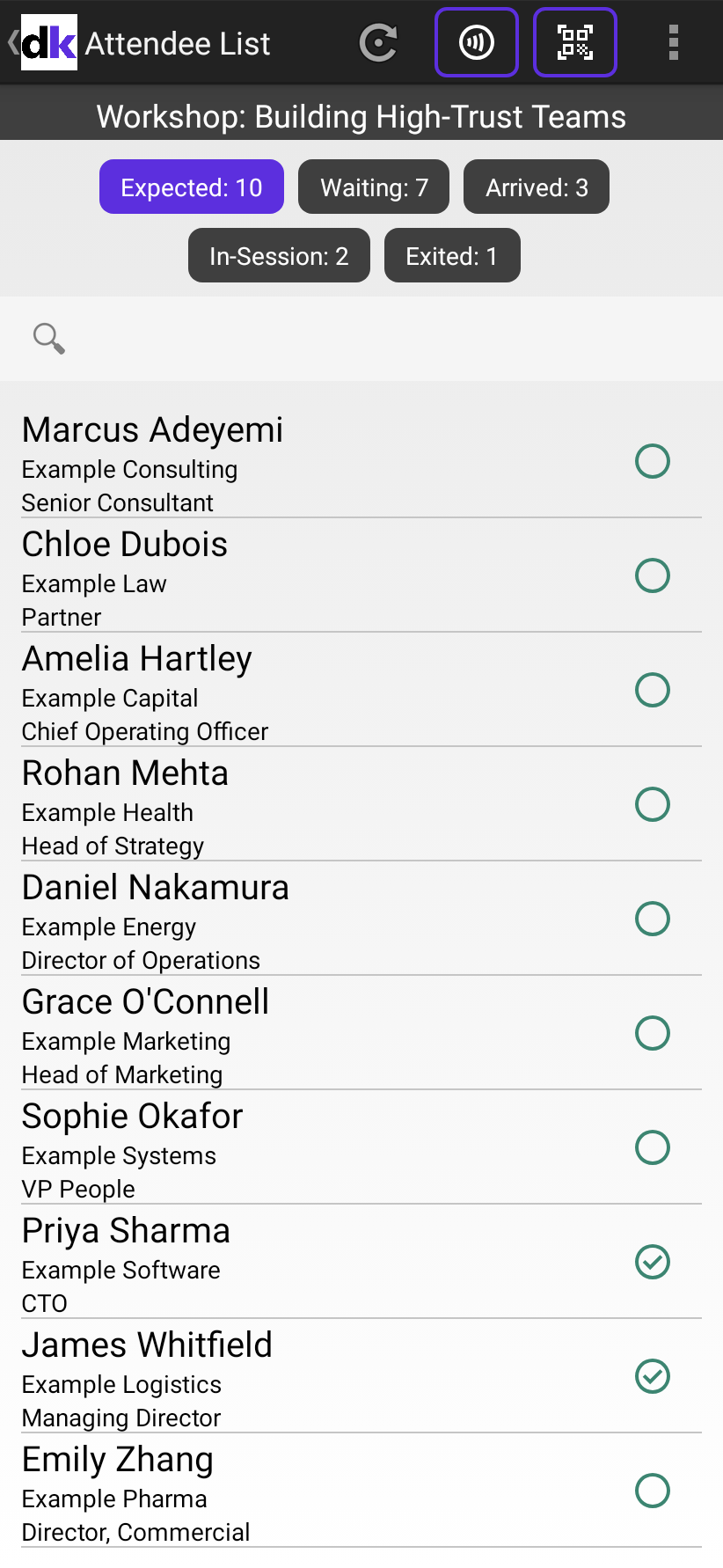
When you open a session in the check-in app, five counts show with its name: Expected, Waiting, Arrived, In-Session and Exited. They tell you how many people are booked, how many have come, and how many are in the room now. What each one counts depends on the session's Type.
Bookable sessions
A Bookable session has a booking list, and every count is about the people on it.
| Count | What it counts |
|---|---|
| Expected | Everyone booked on the session. |
| Waiting | People booked who haven't been scanned into the session yet. |
| Arrived | People booked who have been scanned in at least once, including those who've since left. |
| In-Session | People whose last scan in this session was an entry: they're in the room now. |
| Exited | People whose last scan in this session was an exit. |
Someone who wasn't booked and was let in with Yes at Not In Session is added to the booking list, so they count too. See Let in someone who isn't booked on a session.
Open to all sessions
An Open to all session has no booking list, so Expected and Waiting stay at 0.
| Count | What it counts |
|---|---|
| Arrived | Everyone scanned into the session, once each. |
| In-Session | People whose last scan was an entry. |
| Exited | People whose last scan was an exit. |
Filter the list by a count
Select a count to show only those people in the list. Expected shows everyone on the list again. In an Open to all session, the list shows only people who've been scanned, so it's empty until the first scan.
Where the figures come from
The counts are worked out on the device, from the scans it has:
- its own scans, straight away;
- other devices' scans, and scans made on the web, within a few seconds while this session's attendee list is open and the device is online;
- otherwise, after this device's next sync. It syncs when you select the refresh icon, when you come back from QR Scan, and every 15 minutes. In the menu, an item shows when the list last synced, such as Updated 2 minutes ago.
So two devices at the same door can show different counts for a moment, or for a few minutes when one of them is offline or on another screen. Each person is counted once however many times they're scanned.
Counts on the web
On the web, select Sessions, then View all, and select View on the session. Its overview shows the same figures from every device's scans as Delekit receives them: Expected, Awaiting, In session and Exited for a Bookable session, and Scanned, In session and Exited for an Open to all one.
Related articles
- Scan attendees into a session
- Scan people out of a session
- Use several devices at one session
- Undo or correct a check-in
Still stuck? Contact Delekit support.
Was this article helpful?
That’s Great!
Thank you for your feedback
Sorry! We couldn't be helpful
Thank you for your feedback
Feedback sent
We appreciate your effort and will try to fix the article