Audience: event administrators and client administrators. Applies to: plans with the registration form builder.
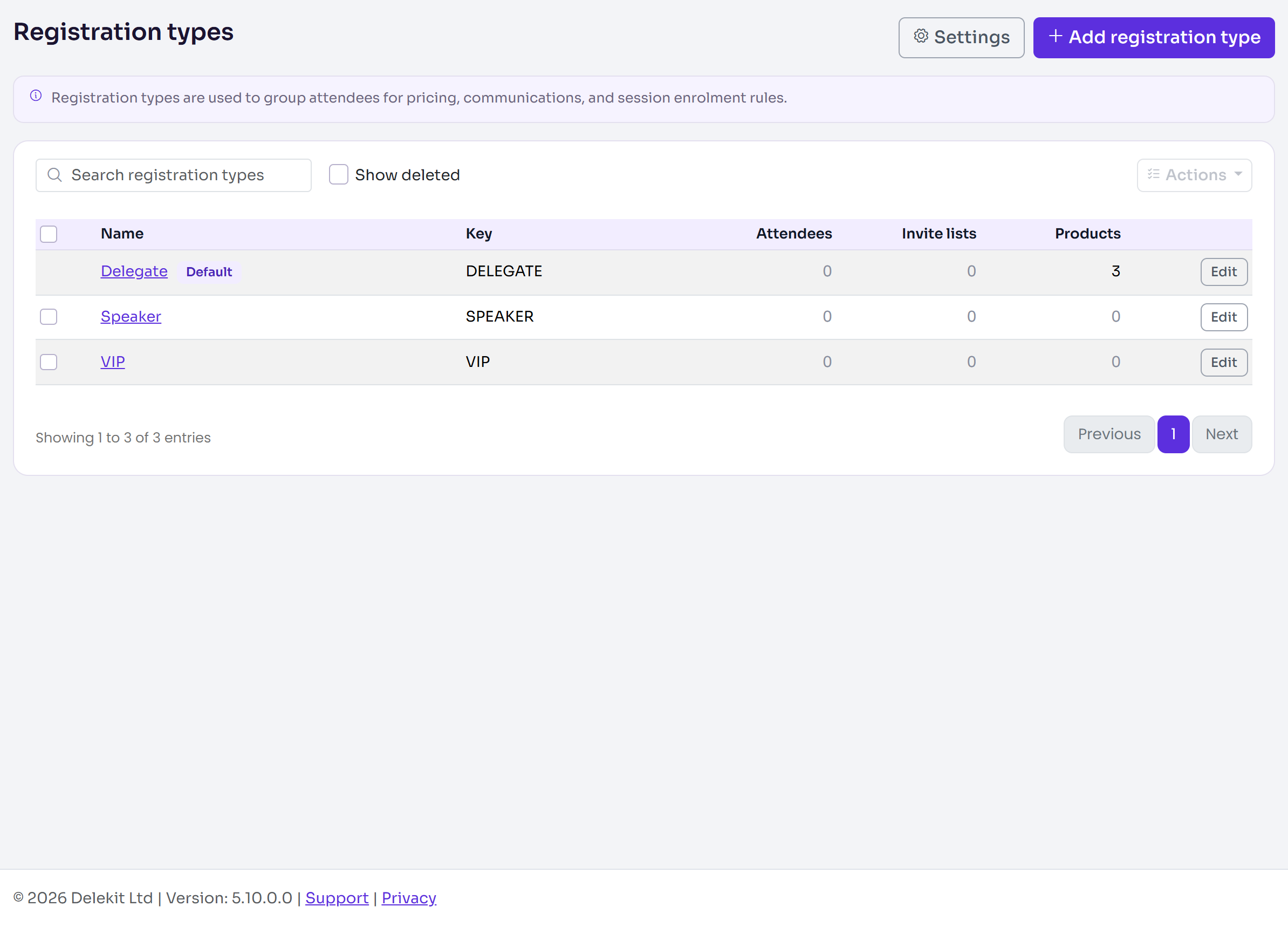
Every attendee registers as one registration type, such as Delegate, Speaker or VIP. A type groups attendees for pricing, communications and session enrolment rules, and holds its own capacity, registration dates and rules about who can book. If people pay, or choose extras, the type also has tickets: the products they book, such as a Delegate pass and a Gala dinner.
Registration types
A new event has no registration types: you add them in Registration › Registration types.
- One is the default. The public Register button and form link open straight on the default type, when the registration form offers it. Other types are reached through their own links, or through an invite list.
- Each type has its own limits. A Capacity, a Waitlist, Registration from and Registration to dates, and Who can book (blocked email domains, booking on behalf of someone else) are all set per type.
- Emails come from the type's invite list. A registration type is on one invite list at most, and the emails an attendee gets are chosen on their type's list.
- What people see it called is Registration type unless you change the Public label (in Registration types › Settings), for example to Location.
Tickets (products)
Tickets are the products sold under one registration type, added with Manage products on the type's page. Each product has a Kind:
| Kind | What it is | Example |
|---|---|---|
| Admission | Grants event entry. Each one booked becomes its own attendee. | Delegate pass |
| Add On | An extra bought alongside a ticket. | Workshop add-on, Gala dinner |
| Session | An extra bought alongside a ticket, for a session. | A masterclass |
| Goods | Merchandise, tied to no one. | A printed programme |
A product has a price, currency and tax rate (or is Complimentary), its own Capacity, how many one order can buy, sale dates, and a cancellation fee. A ticket can be sold Only with another of the type's tickets, such as a workshop only for pass holders. To share one limit across several tickets, put them in a Capacity pool.
How capacity is counted
| Limit | Set on | Counts |
|---|---|---|
| Registration type Capacity | The type | Admission tickets taken (confirmed tickets and live checkout holds). A type with no tickets counts its confirmed registrations. |
| Product Capacity | The product | Units of that product taken. |
| Capacity pool | Capacity pools | Every product in the pool together. |
| Max tickets per email | The type, and Registration types › Settings for the whole event | Tickets one email address holds. |
A type is also full when every admission ticket on sale has sold out. If its Waitlist is on, people can then join the waitlist instead.
Which you need
| Your event | What to set up |
|---|---|
| Free | One or more registration types. Tickets are optional: add a Complimentary one if people should choose, say, which day they come. |
| Paid | A registration type with priced Admission tickets, any add-ons, and a payment provider connected. |
| Invite-only | A registration type on an invite list, not offered publicly on your registration form, and invitations sent from the list. |
| Mixed (paying delegates, invited guests, speakers) | A type for each group, each with its own tickets, limits and invite list. |
Whatever you set up, people register through your registration form, which says which types it offers. Nothing is public until the form is published.
Related articles
- Create a registration type
- Add tickets to a registration type
- Set capacity, a waitlist and registration dates
- Accept work email addresses only
Still stuck? Contact Delekit support.
Was this article helpful?
That’s Great!
Thank you for your feedback
Sorry! We couldn't be helpful
Thank you for your feedback
Feedback sent
We appreciate your effort and will try to fix the article