Audience: event administrators and client administrators. Applies to: all plans. Only for events that sell tickets.
Let buyers choose to be invoiced instead of paying by card. Their registration is confirmed straight away. You send the invoice yourself, using the billing details they give, and mark the order paid on their attendee page when the money arrives.
Before you start
- You need to be an administrator of the event.
- Delekit doesn't create or send the invoice. It collects the billing details and keeps track of whether the order is paid; your finance team sends the invoice.
- Only orders with something to pay can be invoiced. Free bookings are confirmed as they are.
- Delekit can't refund an invoice payment, because no card was charged. Refund the buyer yourself if you need to.
Turn on paying by invoice
In the menu, select Event, then Edit event, and go to Payments and cancellations.
Turn on Allow paying by invoice.

Select Save changes. You'll see Changes saved.
What buyers see
On the Payment step they're asked "How would you like to pay?" and choose Pay by card or Pay by invoice.
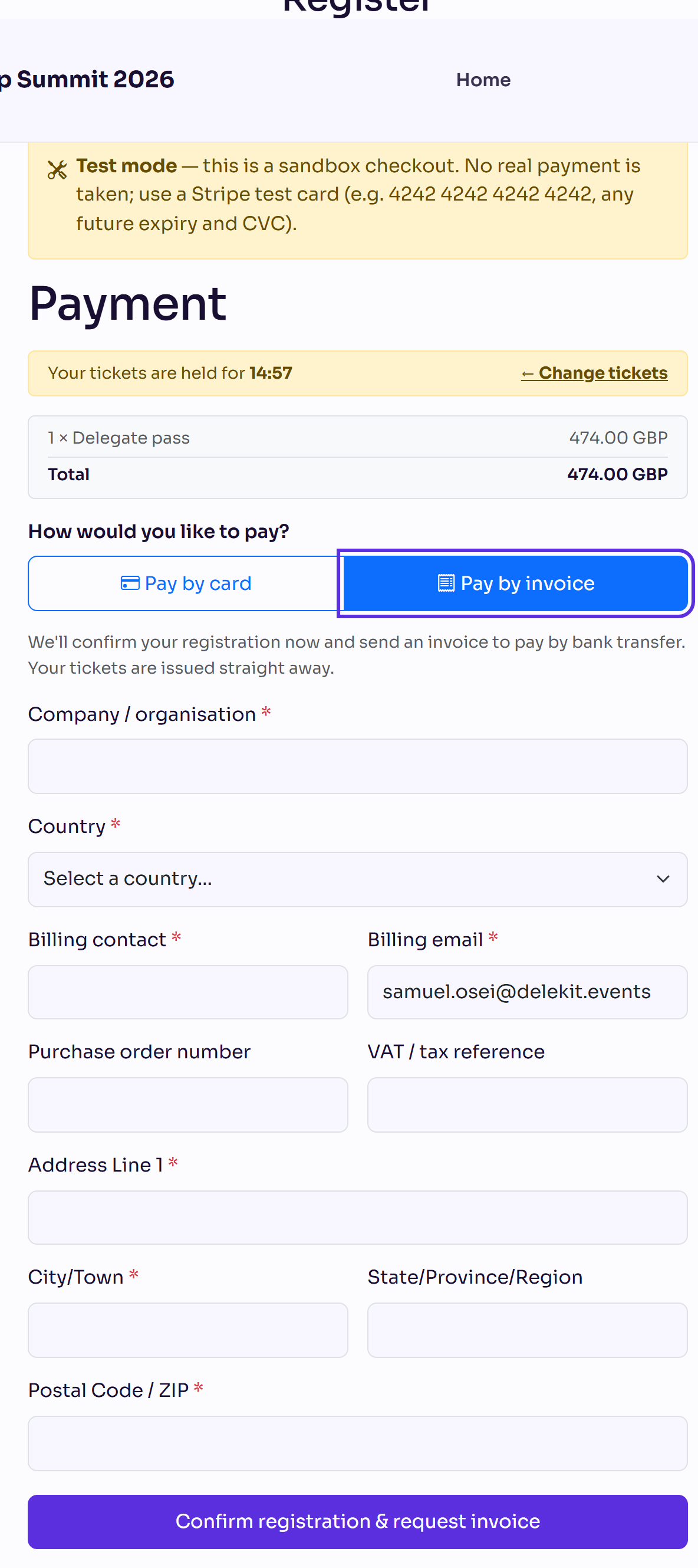
Paying by invoice asks for Company / organisation, Country, Billing contact, Billing email, Address Line 1, City/Town and, where the country has one, Postal Code / ZIP. Purchase order number and VAT / tax reference are optional. They select Confirm registration & request invoice, and their confirmation page follows.
Send the invoice and mark it paid
In the menu, select Attendees, then View all, and open the person who booked.
In Orders, the order shows Awaiting invoice payment and its Invoice billing details. Use them to send your invoice.
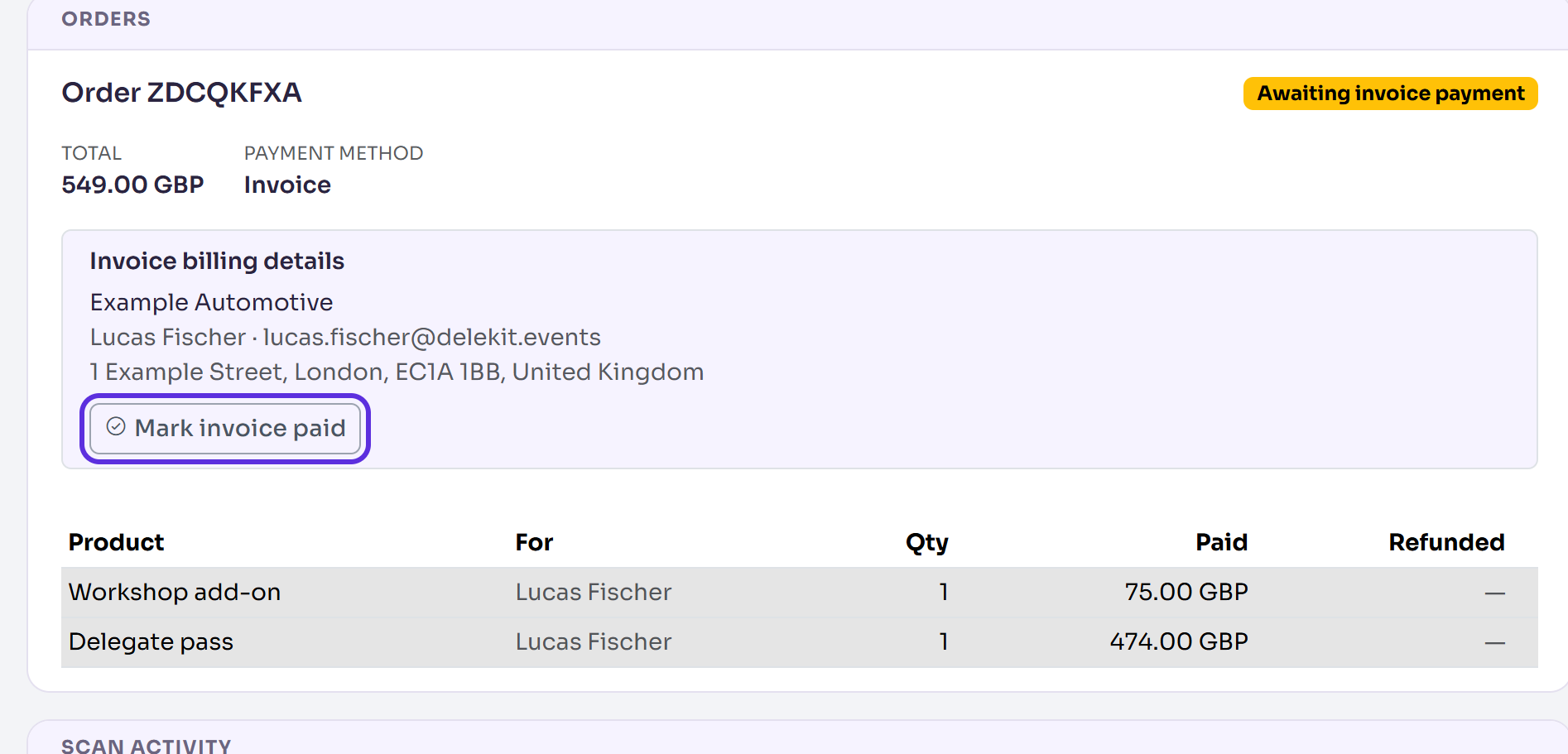
When the payment arrives, select Mark invoice paid.
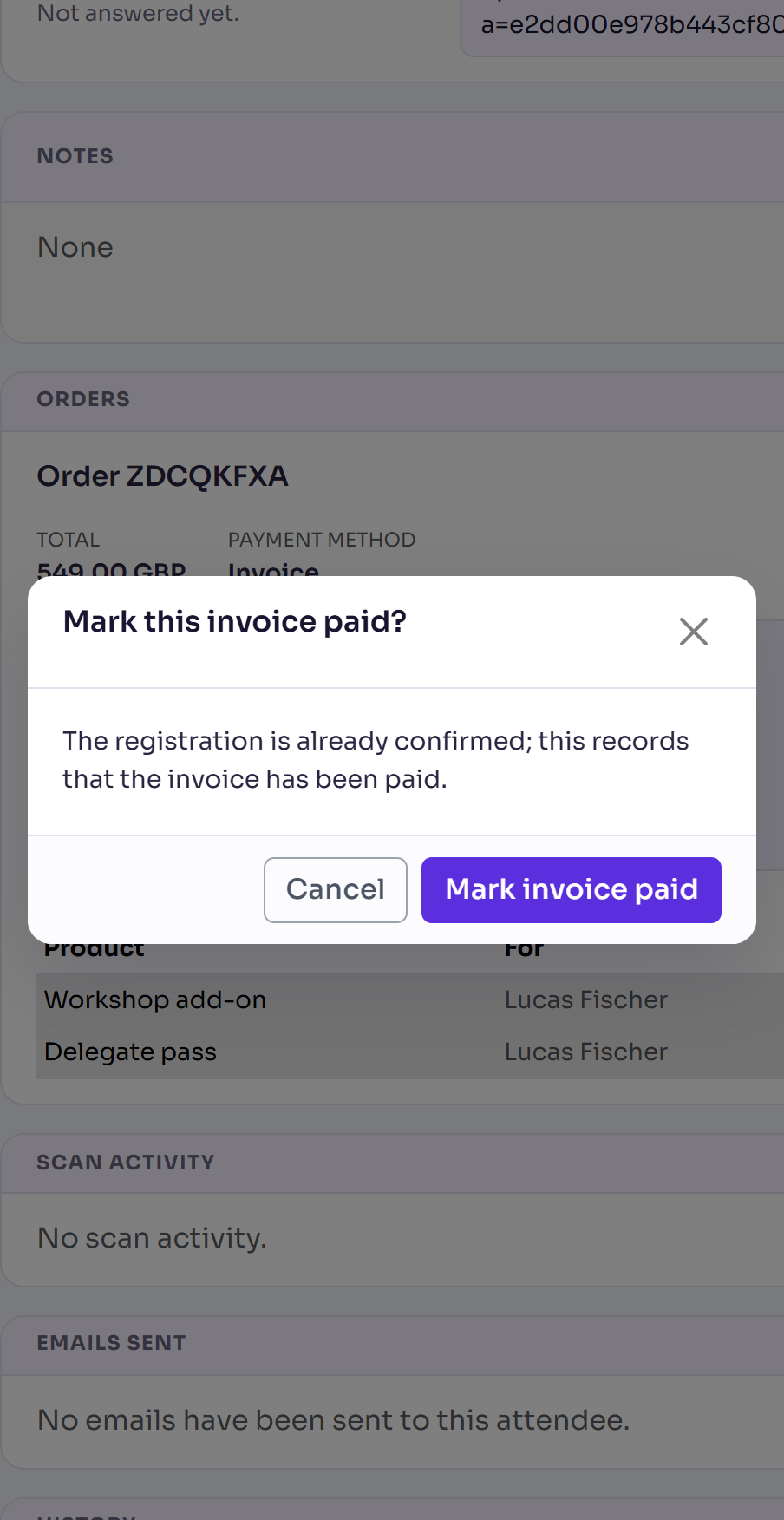
Select Mark invoice paid again in the pop-up.
You'll see Invoice marked paid. The order now shows Paid and View receipt.
What happens next
- At checkout: the order is Awaiting invoice payment, the registration is Confirmed, their tickets are issued and their confirmation email is sent. Any ticket hold ends.
- On their receipt link, the buyer sees "Awaiting payment" until you mark it paid, then their receipt.
- Marking it paid only records the payment. The registration was already confirmed.
- In reports, a new Product sales report counts Awaiting invoice payment orders as sold, with Paid ones. Use its Order status filter to list the invoices still to pay.
Check it works
Make a test registration and choose Pay by invoice, as in Test a registration before you go live. Its Orders section shows Awaiting invoice payment and the billing details you entered. An invoice booking isn't marked as a test for you, so mark it yourself.
If something isn't right
- No Pay by invoice on the Payment step: Allow paying by invoice is off.
- No Mark invoice paid button: you're on a guest's page, or it's already paid. Open the page of the person who booked. When they booked only for others and aren't an attendee, any guest's page on the order has the button.
- "Mark the invoice paid from the purchaser's page.": the same: open the buyer's page.
- The buyer won't pay: cancel their registration to release their tickets. Nothing is refunded. See Cancel a registration for an attendee.
- "This order belongs to another event.": the order isn't one of this event's. Open the attendee from the event the order was made in.
Related articles
- View an attendee's orders and payments
- Choose your event's registration and privacy options
- Test a registration before you go live
Still stuck? Contact Delekit support.
Was this article helpful?
That’s Great!
Thank you for your feedback
Sorry! We couldn't be helpful
Thank you for your feedback
Feedback sent
We appreciate your effort and will try to fix the article