Audience: event administrators and client administrators. Applies to: all plans. Only for events that sell tickets.
Keep the tickets someone has chosen for them while they finish checking out, so nobody else books those places in the meantime. A countdown shows how long they have. When it runs out, the tickets are released and they start again.
Before you start
- You need to be an administrator of the event.
- Only paid orders are held. Free tickets are confirmed as soon as someone books, so there's nothing to hold.
- The hold is set once for the whole event, not per ticket.
- Choose a time that fits your form. A long registration form needs longer than a short one.
Turn on the countdown
In the menu, select Event, then Edit event, and go to Payments and cancellations.
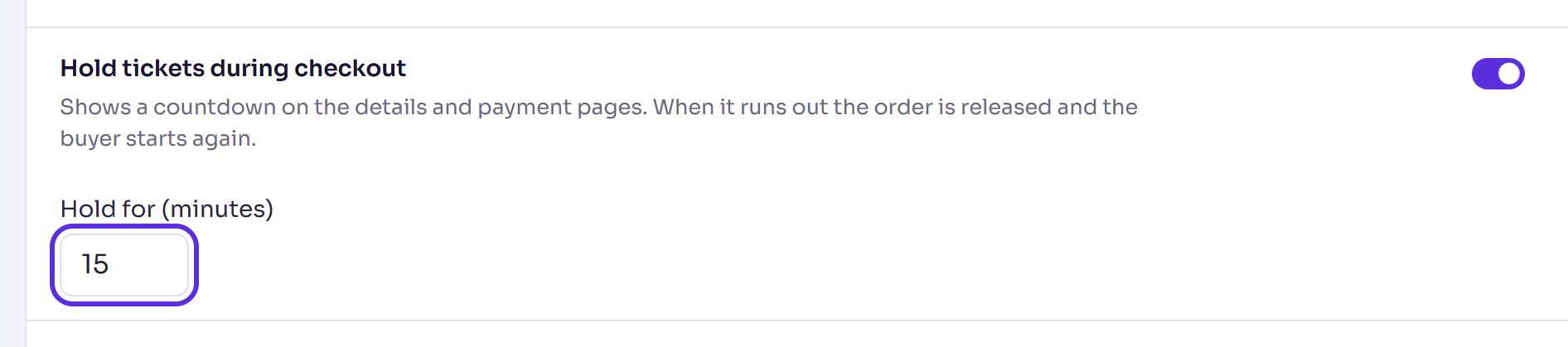
Turn on Hold tickets during checkout.
Enter Hold for (minutes), from 1 to 120, for example 15.
Select Save changes. It appears once you've changed something.
You'll see Changes saved.
What buyers see
The hold starts when they select Continue on the tickets step, with their tickets and details chosen.
On the Additional information and Payment steps, a notice says "Your tickets are held for" and the time left, in minutes and seconds.
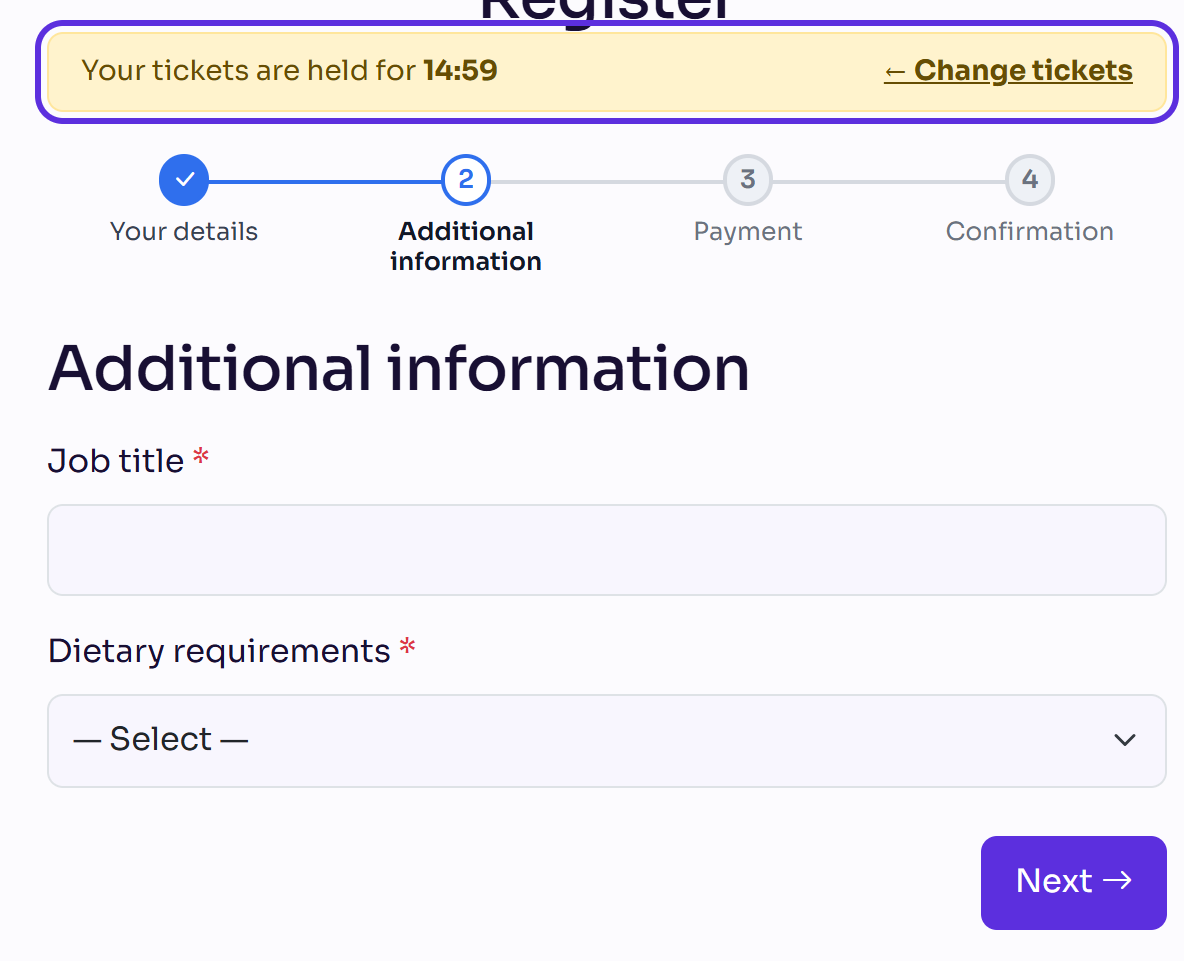
← Change tickets releases the order straight away and takes them back to the tickets step, with their tickets and details filled in again, so they can change them.
When the time runs out, the order is released and they're taken back to the tickets step. Coming back to the page later does the same.
While a card payment is being confirmed, the countdown waits. If the payment has gone through, or is still going through, they're shown where it stands instead of starting again.
Choosing Pay by invoice confirms their registration at once, so the hold ends there. See Let people pay by invoice.
What happens next
- Held tickets count as taken. Other buyers see fewer left, or the ticket sold out, until the hold ends.
- A released order frees its places and removes the unfinished booking, so the same email can book again without a one-time code. Someone you invited goes back to Invited, and their invite link keeps working.
- With the countdown turned off, buyers see no timer, but an unfinished checkout still keeps its places for a short time before they're released.
Check it works
Open your registration form in a private (incognito) browser window. Choose a ticket with a price, enter your details and select Continue. The countdown shows on the next step. Select ← Change tickets: you're back on the tickets step with your choice still there. Nothing is paid and no booking is kept.
If something isn't right
- "Enter a hold from 1 to 120 minutes.": Hold for (minutes) is outside that range.
- No countdown: Hold tickets during checkout is off, or the order is free.
- Buyers say their tickets disappeared: the hold ran out before they finished. Give them more minutes.
- A ticket shows sold out, but the Attendees list has room: places are held by checkouts in progress. They come back when those holds end.
Related articles
- Choose your event's registration and privacy options
- Let people pay by invoice
- Set capacity, a waitlist and registration dates
Still stuck? Contact Delekit support.
Was this article helpful?
That’s Great!
Thank you for your feedback
Sorry! We couldn't be helpful
Thank you for your feedback
Feedback sent
We appreciate your effort and will try to fix the article