Audience: event administrators and client administrators. Applies to: Bookable sessions. Open to all sessions have a capacity but no waitlist.
Limit how many people can book a Bookable session, choose which registration types may book it, and let people join a waitlist once it's full. Attendees book in the attendee app, and Delekit counts places the same way on every screen.
Before you start
- You need to be a client administrator, or an event administrator on the event.
- The session's Type must be Bookable for the Waitlist and Who can book. See Session types: bookable, open to all and agenda items.
- The event's registration types must exist before you can choose them. See Create a registration type.
- This is the session's own limit. The event's limit is set on each registration type. See Set capacity, a waitlist and registration dates.
Set the capacity and waitlist
In the menu, select Sessions, then View all. Select the session, then select Edit session.
In Booking, enter the Capacity: the most places. Leave it blank, or enter 0, for no limit.
To let people wait for a place, turn on Waitlist.
Enter the Waitlist size, or leave it blank for no limit.
In Who can book, select each registration type that may book the session. Leave it empty (it shows Every registration type) to let every registration type book it.
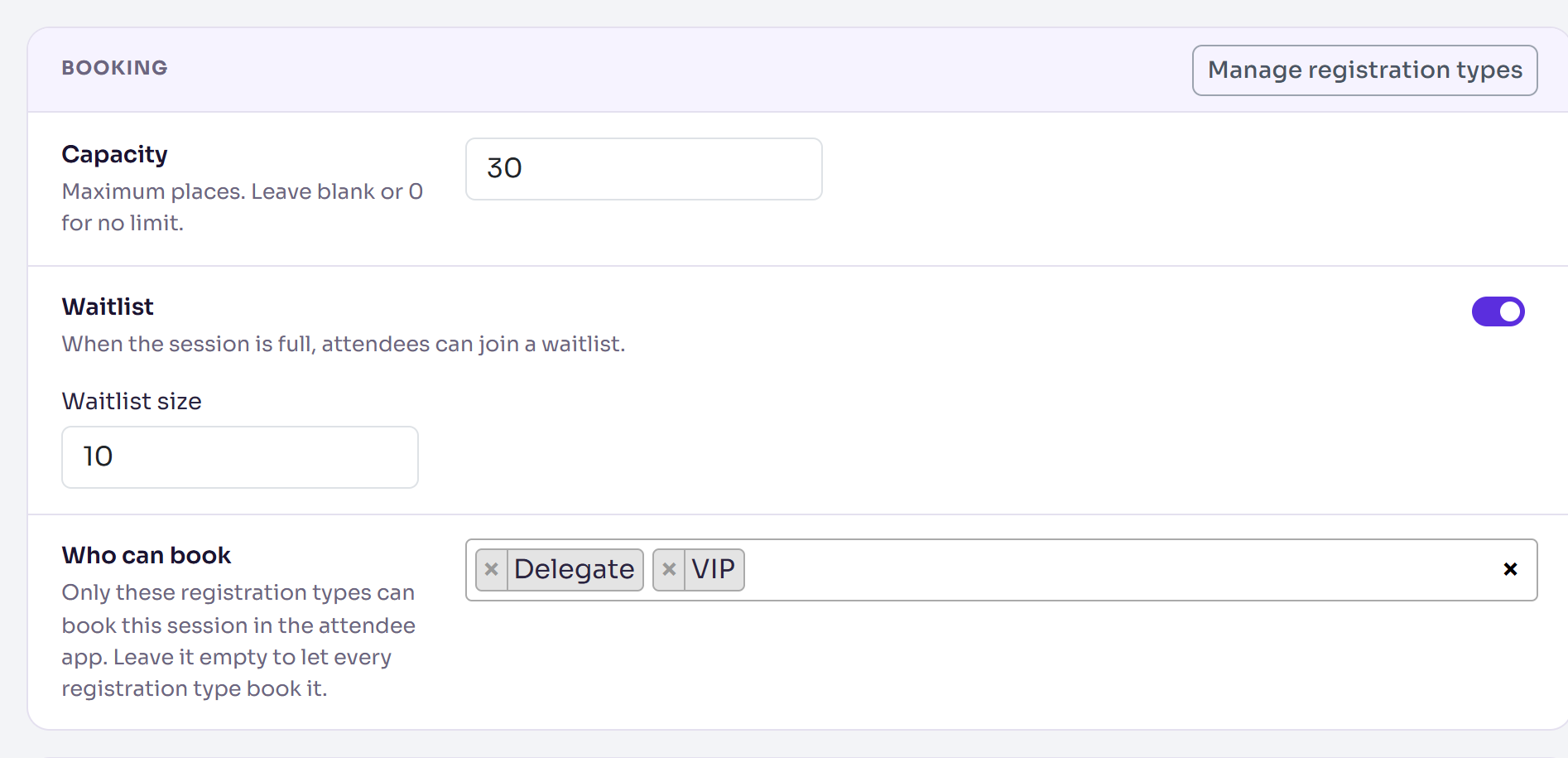
Select Save changes. For a new session, the same settings are on Add session.
How places are counted
- A place is taken by each booking of someone who isn't deleted and whose registration isn't Cancelled or Declined. Cancelling a registration frees that person's session places. Test attendees take places too.
- Waitlisted people don't take a place. They're counted separately, such as +3 waitlist.
- Full shows on the session once the places booked reach the capacity.
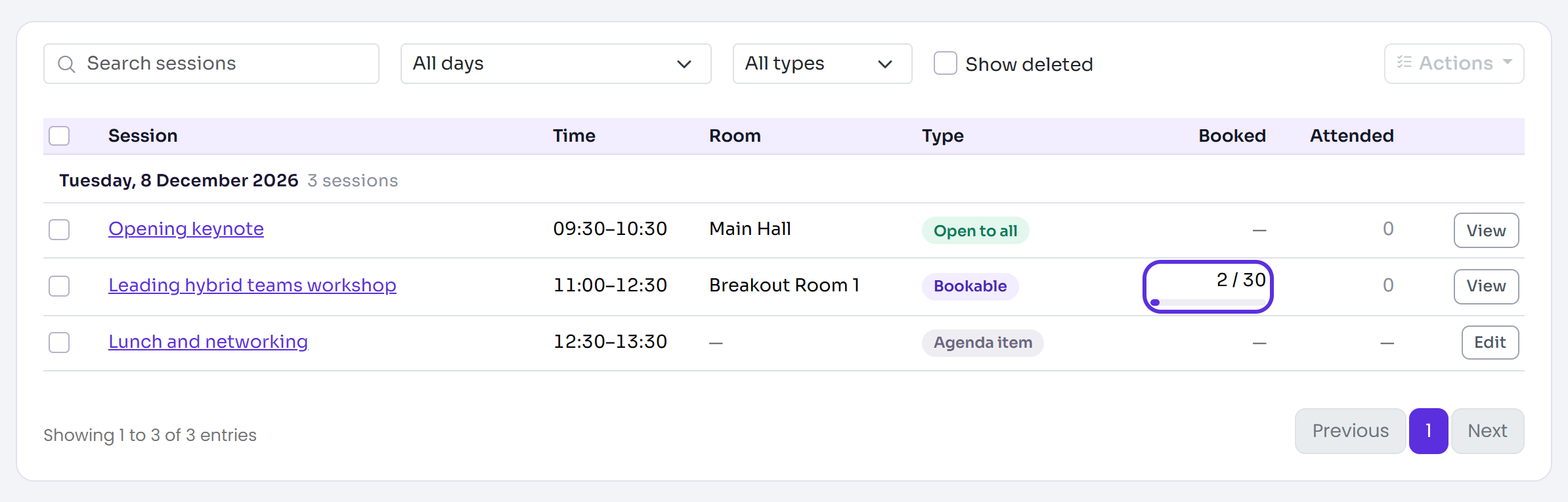
The Booked column of the Sessions list and the session overview show the same figures, such as 2 / 30.
What happens when attendees book in the app
- Only attendees whose registration type is in Who can book can book. With no registration type chosen, every registration type can book it.
- A session that's Hidden from the agenda can't be booked.
- While there are places, the booking takes one.
- Once the session is full, people join the waitlist, if it's on and has room. Otherwise the app says "This session is full." or "The waitlist is full."
- When someone with a place cancels their booking in the app, the next people on the waitlist are given the places freed, in waitlist order.
Booking people yourself
Add attendees on the session overview books people straight on. When that goes over the capacity, or adds people whose registration type Who can book doesn't allow, Delekit asks first. If you add them anyway, the figures show more places booked than the capacity. Removing someone there gives their place to the next person on the waitlist. See Manage session attendance.
Check it works
On the Sessions list, check the session's Booked column shows the capacity you set, such as 0 / 30. A session with no limit shows No limit.
If something isn't right
- "Capacity can't be negative." or "Waitlist size can't be negative." Enter 0 or more.
- Attendees can't book the session in the app: check Who can book includes their registration type, and that Hidden from the agenda is off.
- Fewer places booked than people on the list: waitlisted, cancelled, declined and deleted attendees don't take a place.
- No Waitlist or Who can book: the session's Type isn't Bookable.
Related articles
- Create a session
- Manage session attendance
- Session types: bookable, open to all and agenda items
- Set capacity, a waitlist and registration dates
Still stuck? Contact Delekit support.
Was this article helpful?
That’s Great!
Thank you for your feedback
Sorry! We couldn't be helpful
Thank you for your feedback
Feedback sent
We appreciate your effort and will try to fix the article