Audience: client administrators. Applies to: all plans.
Give your colleagues their own Delekit sign-in, choose whether they manage everything or only some events, and change that later. Delekit emails each new person an invitation to set their password.
Before you start
- You need to be a client administrator. Users are managed on the Delekit account site, from Client settings.
- Choose the role first. A Client admin manages every event, the client's settings and its users. An Event admin manages only the events you choose. See Roles and permissions: client admins and event admins.
- An event admin needs events to manage. Create the event first, or give them events later.
- One person, one account. Someone who already uses Delekit for another organisation keeps their sign-in: inviting their email adds your client to it.
Invite a user
In the menu, select Admin, then Client settings.
In Team and access, select Manage users. Users opens in a new tab.
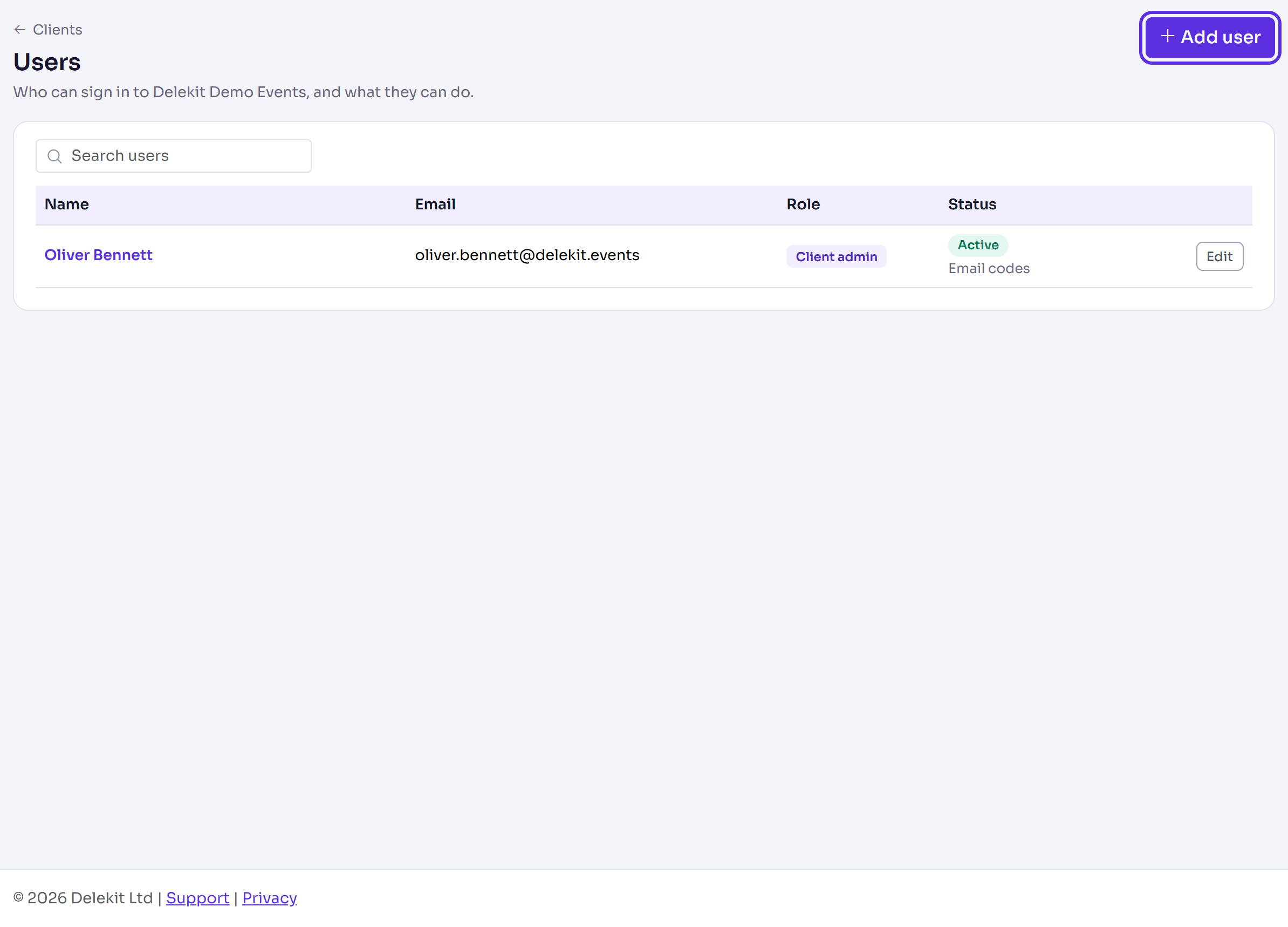
Select Add user.
Enter their Email, First name and Last name.
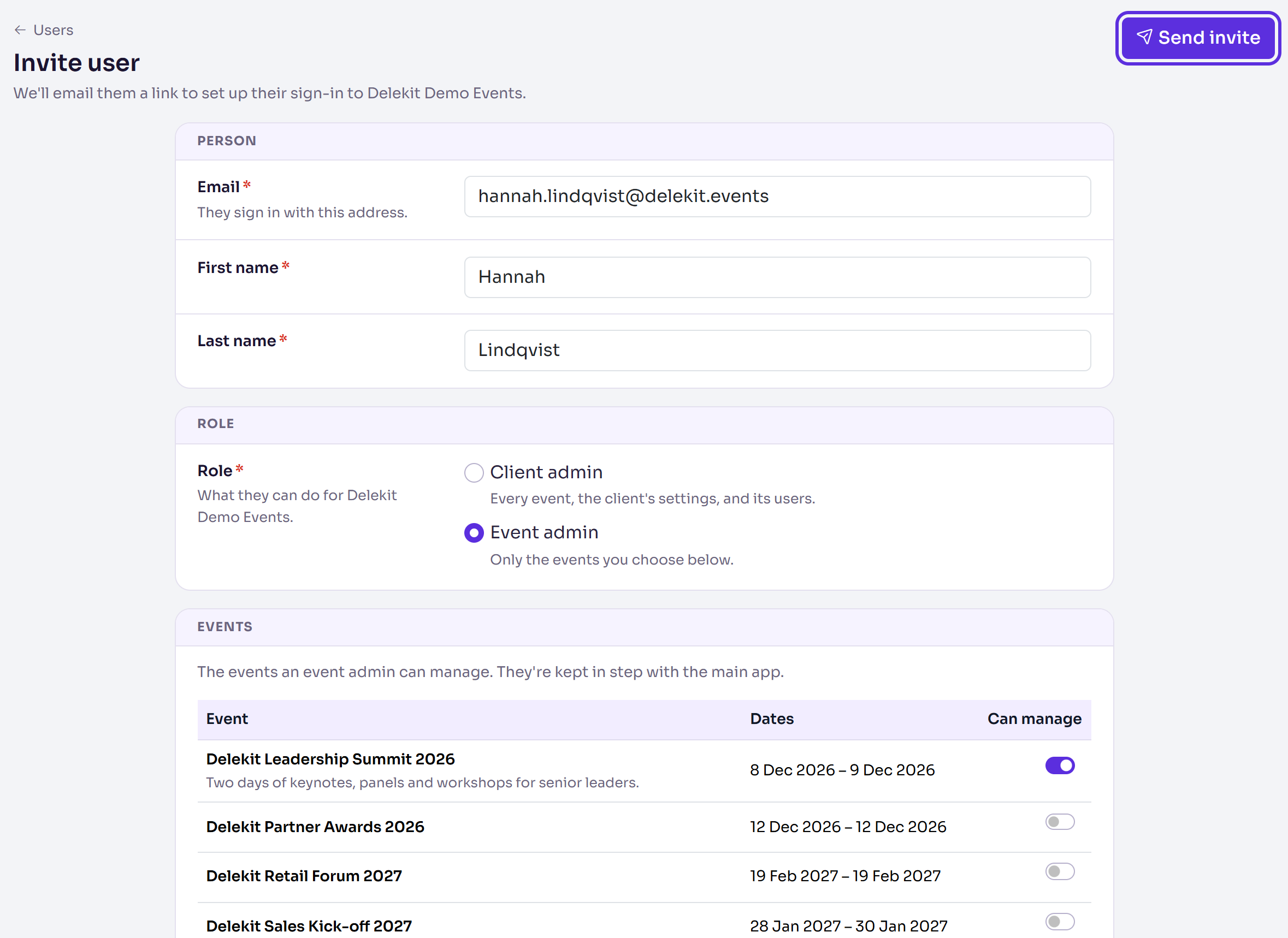
In Role, choose Client admin or Event admin.
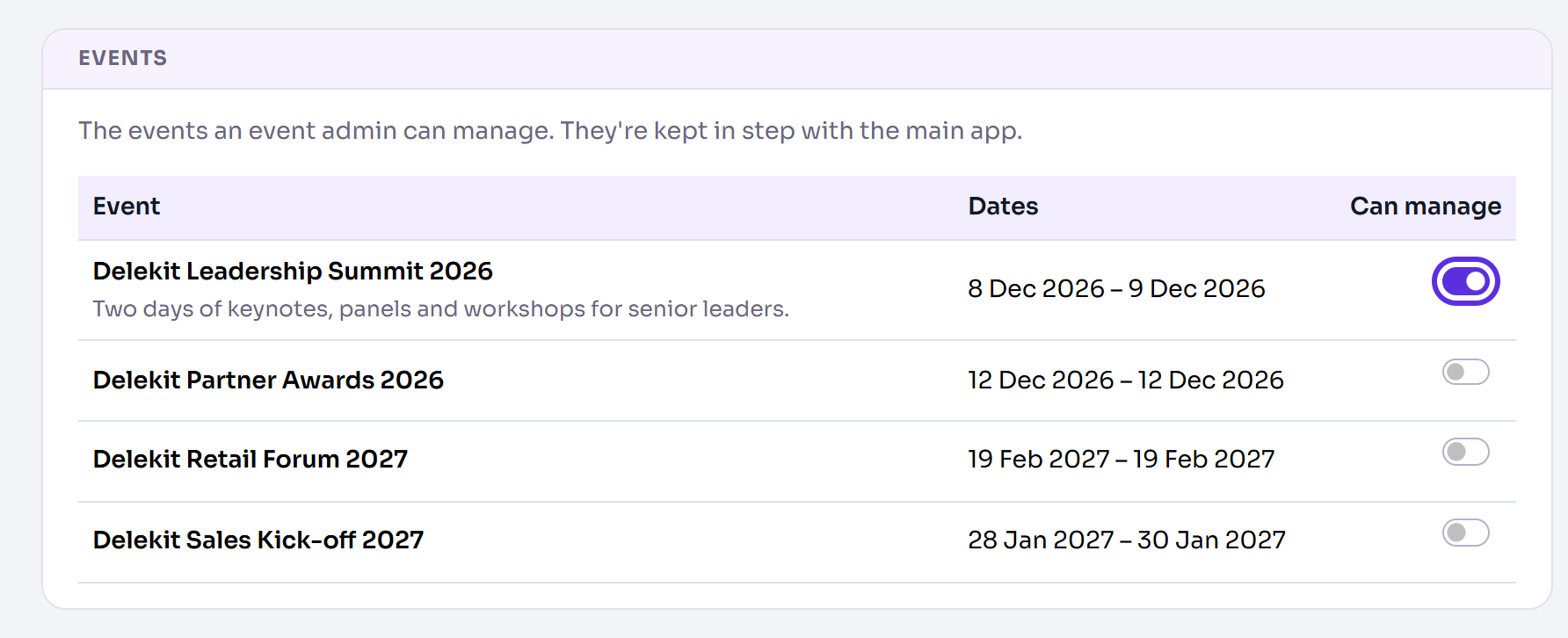
For an event admin, turn on Can manage for each event they'll work on.
Select Send invite.
You'll see User invited and roles assigned., and they're listed with Invited, not signed in yet until they accept.
Change someone's role, events or details
- In Users, select Edit on their row.
- Change their Role, the events they Can manage, or their Email, First name or Last name.
- Select Save user.
You'll see User updated., or User access updated and notification sent. when you gave them new events.
Saving never sends their invitation again. Changing their Email works like this:
- They've set up their sign-in: the new address is emailed Confirm your new email. Until they open its link they keep signing in with the old one. You'll see User updated. We've sent ... a link to confirm it; until it's opened they sign in with ..., naming both addresses.
- They haven't set up their sign-in yet: their invitation goes to the new address, and you'll see User updated and their invite sent to ....
You can't make the client's only client admin an event admin. Make someone else a client admin first.
Send an invitation again
An invitation link stops working after a day. Resend invite is offered until they've set up their sign-in.
- In Users, select Edit on their row.
- In Sign-in, select Resend invite.
- Delekit asks whether to resend the invite to them. Select Resend invite.
You'll see Invite sent again to ..., with their address.
What happens next
- Someone new is emailed You've been invited to Delekit, with a link to confirm their email and set a password. See Accept an invitation to Delekit.
- Someone with an account already isn't sent an invitation. If you gave them events, they're emailed Your Delekit access has been updated, listing them.
- Changes apply straight away. Someone signed in now sees a new role, new events or lost access the next time they open a page. They don't need to sign in again.
Check it works
The person shows in Users with the role you chose. Once they've accepted, their status line says whether they sign in with an Authenticator app or Email codes.
If something isn't right
- The invitation hasn't arrived, or its link has expired. Ask them to check their spam folder, then send it again: see Send an invitation again.
- "They've already set up their sign-in, so there's no invite to send." They can sign in already. If they've forgotten their password, they can reset it from the sign-in page.
- "This is the client's only client admin. Make someone else a client admin first." Give another user the Client admin role, then change this one.
- "That email address is already in use." Another account signs in with that address.
- They're locked out ("Locked until" in Status). Open them and select Unlock sign-in to let them try again now.
- They've lost the phone with their authenticator app. Open them and select Reset two-factor, then Reset two-factor again. Their app and recovery codes stop working, they're signed out everywhere, and they next sign in with an emailed code.
- There are no events to choose. The client has no events yet: create one, then give it to them.
Related articles
Still stuck? Contact Delekit support.
Was this article helpful?
That’s Great!
Thank you for your feedback
Sorry! We couldn't be helpful
Thank you for your feedback
Feedback sent
We appreciate your effort and will try to fix the article