Audience: client administrators. Applies to: all plans.
Everyone who signs in to Delekit has a role for each organisation (client) they work for. There are two: Client admin, who runs everything for the client, and Event admin, who works only on the events they're given. This article explains what each can do.
The two roles
You choose the role when you invite someone, and can change it on their user page. See Invite and manage users.
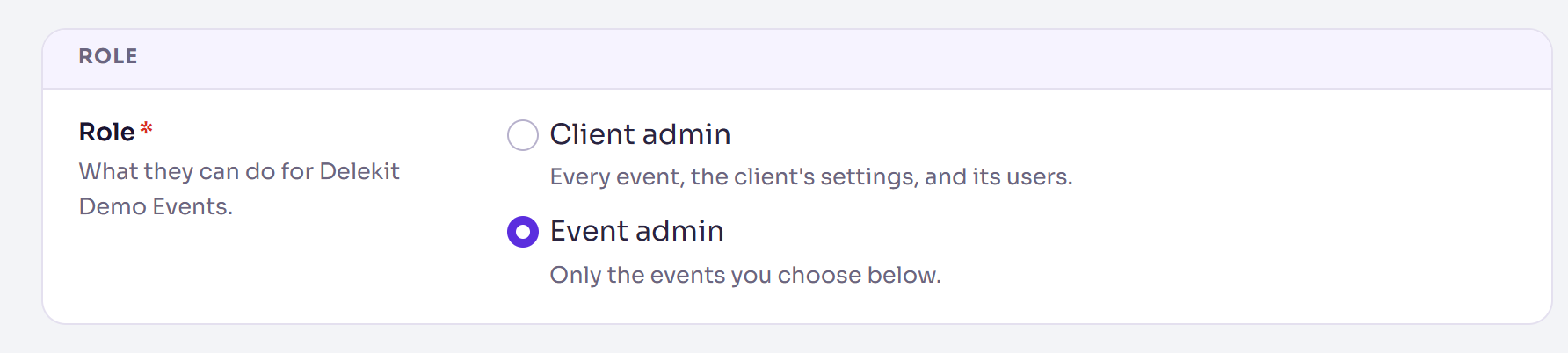
- Client admin: every event, the client's settings, and its users. The menu shows Client admin under their name.
- Event admin: only the events you choose for them. The menu shows Event admin under their name.
What each role can do
| Client admin | Event admin | |
|---|---|---|
| See and work on events | Every event of the client | The events they're given |
| Create an event | Yes | No |
| Everything else inside an event they can open (attendees, registration, emails, website, sessions, reports) | Yes | Yes |
| Plan-locked features (see Your plan, usage and upgrading) | When the plan includes them | When the plan includes them |
| Admin menu: Client settings, Client defaults, Terms, Field and Report libraries, Data retention | Yes | No |
| Client integrations (payments, Salesforce, Cvent and others) | Yes | No |
| Shop management and Audit in the Admin menu | Yes | No |
| Delete an event | Yes | No |
| Salesforce sync in Attendees (for a connected event) | Yes | No |
| Opt someone out of every event's emails, or remove that opt-out | Yes | No |
| Invite users, change their role or events, remove them | Yes | No |
A page someone's role doesn't allow isn't in their menu. Client settings, client integrations, the libraries, Data retention, Users, Shop management, Audit and Delete event are also refused to an event admin who opens their web address directly.
How the roles fit together
- A role is per client. Someone working for two organisations can be a client admin for one and an event admin for the other. See Switch between organisations (clients).
- Keep at least one client admin. Delekit won't remove a client's last client admin, or make them an event admin: make someone else a client admin first.
- Changes apply straight away. Someone already signed in sees a new role, new events or lost access the next time they open a page.
- Plan locks apply to every role. A padlocked menu item is locked for client admins too.
Common questions
- Can I give someone read-only access? No. Every role can change what it can open.
- Can an event admin invite colleagues? No. Ask a client admin to add them.
- Who is my client admin? Ask your organisation's events team, or Delekit support.
Related articles
Still stuck? Contact Delekit support.
Was this article helpful?
That’s Great!
Thank you for your feedback
Sorry! We couldn't be helpful
Thank you for your feedback
Feedback sent
We appreciate your effort and will try to fix the article