Audience: client administrators. Applies to: all plans. Some settings depend on what your plan includes.
In Delekit, your organisation is a client. Client management is everything that belongs to the client rather than to one event: your plan, the people who can sign in, payment and other integrations, domains, your standard emails, terms, fields and reports, and how long personal data is kept. Only client administrators can see and change it.
Where client management lives
| Where | What's there | How to get there |
|---|---|---|
| Client settings | Your plan and usage, and links to everything else here | In the menu, select Admin, then Client settings (it opens in a new tab) |
| Admin menu | Client defaults, the Terms library, Field library and Report library, and Data retention | In the menu, select Admin |
| Users (Delekit account site) | Who can sign in to the client, their role and their events | Client settings › Team and access › Manage users (it opens in a new tab) |
| Client integrations | Stripe or CyberSource payments, Salesforce, Cvent and others | Client settings › Integrations › Manage integrations, or Client integrations in the menu on your events list |
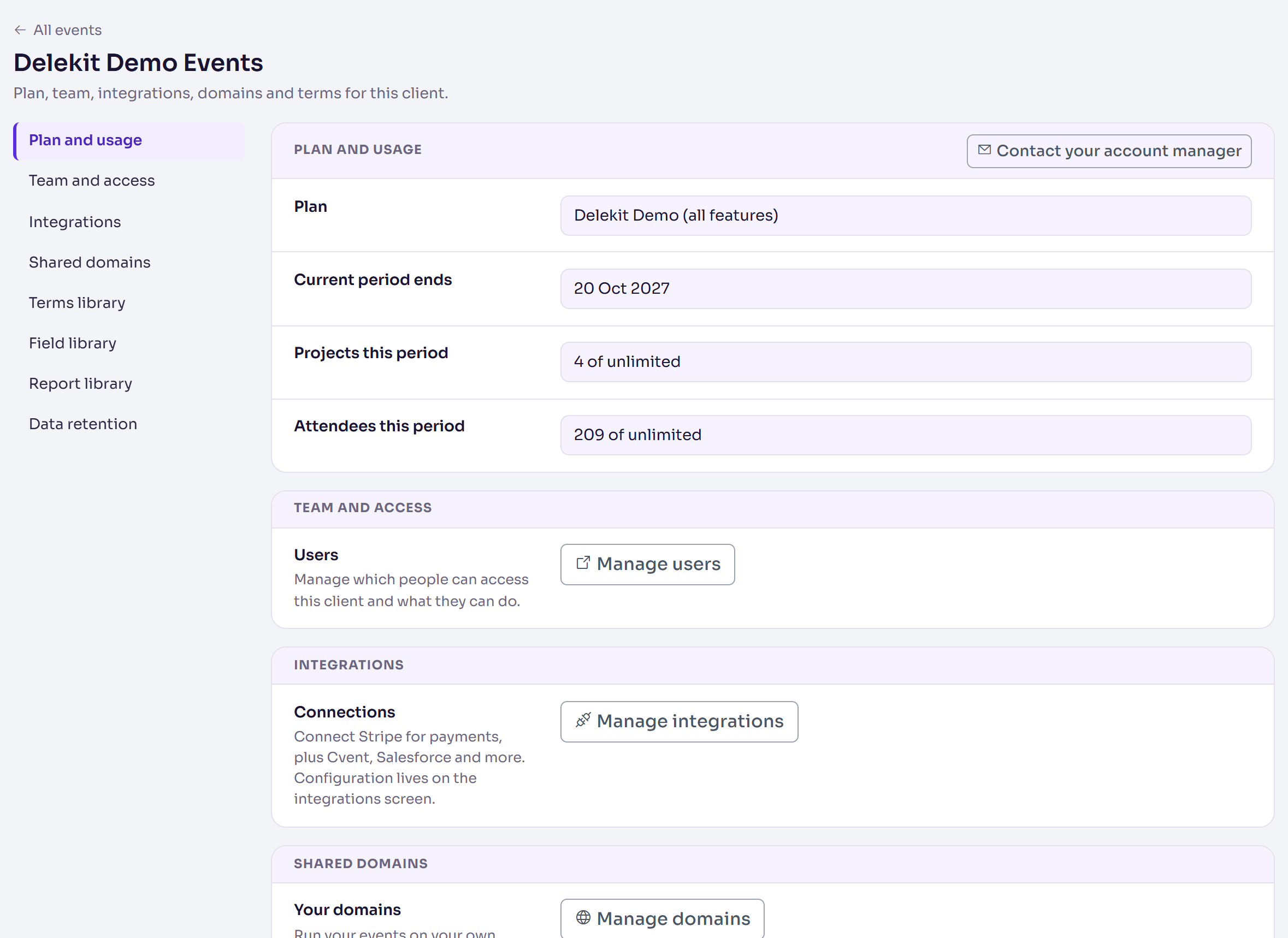
The sections of Client settings
| Section | What it's for | Read more |
|---|---|---|
| Plan and usage | Your plan, when its period ends, and the events and attendees used this period, with Contact your account manager | Your plan, usage and upgrading |
| Team and access | Manage users: invite people, choose their role and events, remove them | Invite and manage users |
| Integrations | Manage integrations: payments, Cvent, Salesforce and more | Take payments with Stripe, Take payments with CyberSource |
| Shared domains | Manage domains: run your event sites on your own domain | Use your own domain for your event site |
| Terms library | Manage terms: your code of conduct, photography consent and other terms, ready to add to any registration form | |
| Field library | Manage fields: the custom fields most of your events ask for, so each event adds its own copy with the same code and choices | |
| Report library | Manage reports: reports every event lists, running on that event's own data | |
| Data retention | Manage retention: how long personal data is kept, and every erasure so far | Set your data retention periods |
Your default email templates are in Admin › Client defaults. See Set up your default email templates.
Users and the Delekit account site
People and their access are managed on the Delekit account site, where everyone also manages their own sign-in (My account). As a client administrator, its menu has Users under Administration (Clients, if you manage more than one).
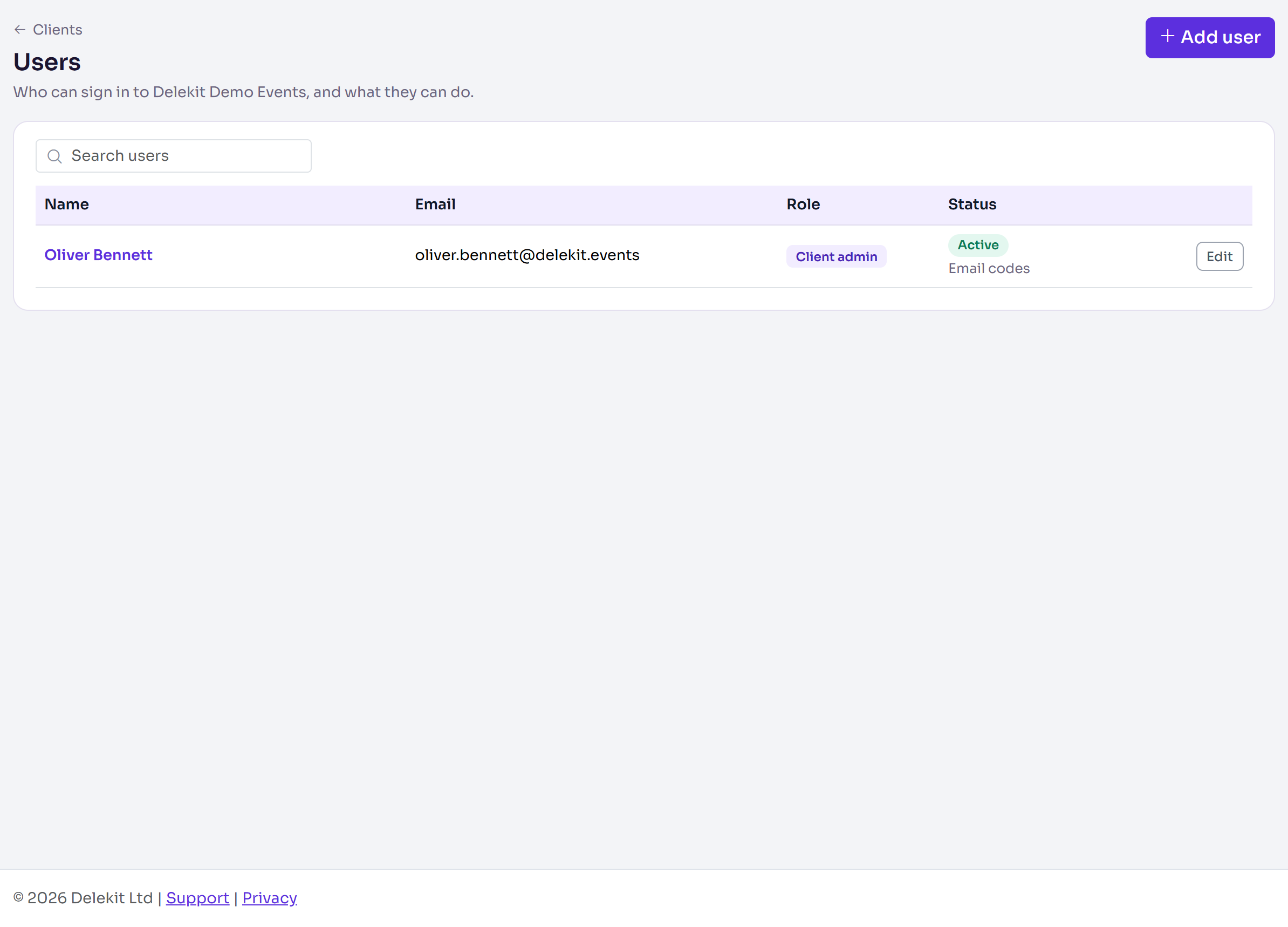
The list shows each person's Role (Client admin or Event admin) and Status: Active, or Locked until a time after too many failed sign-ins. Under the status it says whether they sign in with an Authenticator app or Email codes, or Invited, not signed in yet for someone who hasn't accepted their invitation. See Roles and permissions: client admins and event admins.
What reaches your events
Your plan and integrations apply to every event straight away. Client defaults and standard fields are offered to each event as it's created, and standard terms when you build its registration form, so set them up before your first event: see Set up your Delekit account.
Related articles
Still stuck? Contact Delekit support.
Was this article helpful?
That’s Great!
Thank you for your feedback
Sorry! We couldn't be helpful
Thank you for your feedback
Feedback sent
We appreciate your effort and will try to fix the article