Audience: event administrators and client administrators. Applies to: plans that include the registration form builder. If Registration form shows a padlock in the menu, it isn't in your plan.
A register interest form takes names and email addresses before you open registration, or for people who weren't invited. They're added to the event as Registered interest. When you're ready, you give them a registration type and invite them, and the Setup checklist tracks each step.
Before you start
- An event has one register interest form.
- It has no registration types. People who register interest have none until you give them one.
- To email people when they register interest, publish a Register interest email first. See Set up your event's email templates.
- The questions are custom fields, like Job title. First name, last name and email are always asked. See Add custom fields to your event.
Create the form
In the menu, select Registration, then Registration form, then select Add registration form.
Enter a Form name, such as Register interest, and choose the Purpose Register interest. A register interest form has no Registration types.
In Register interest email, choose the email to send, or leave No email.
Under Public access, turn on Enabled.
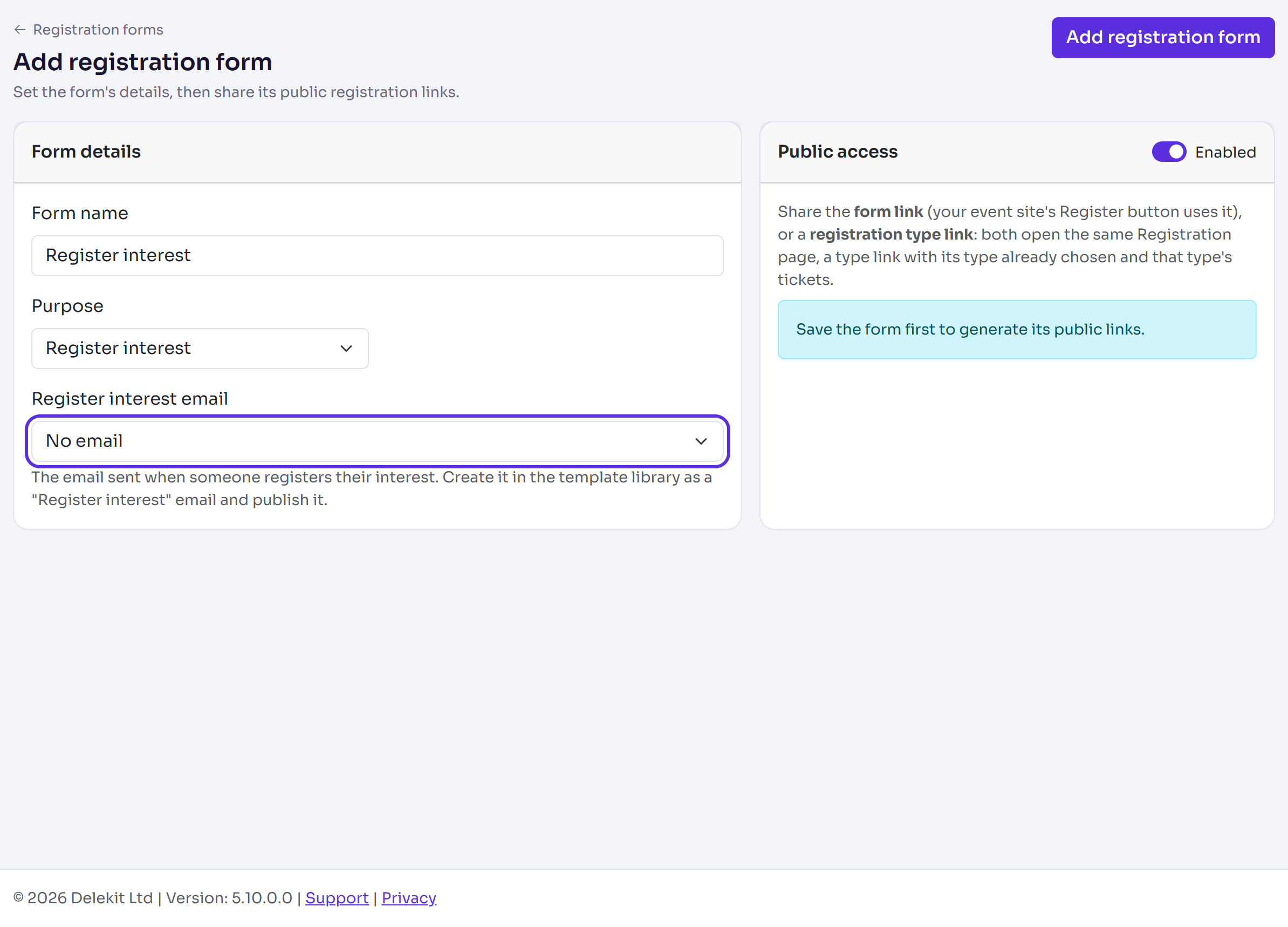
Select Add registration form.
Select Build on the form, add any questions with Existing field, then select Publish form and confirm.
To share the form, open its settings: copy the Register interest link under Public access. It also appears on your event site's Register interest page.
What happens next
Visitors give their name and email and answer your questions. They accept Delekit's terms, and your marketing opt-in if you have one, as at registration.
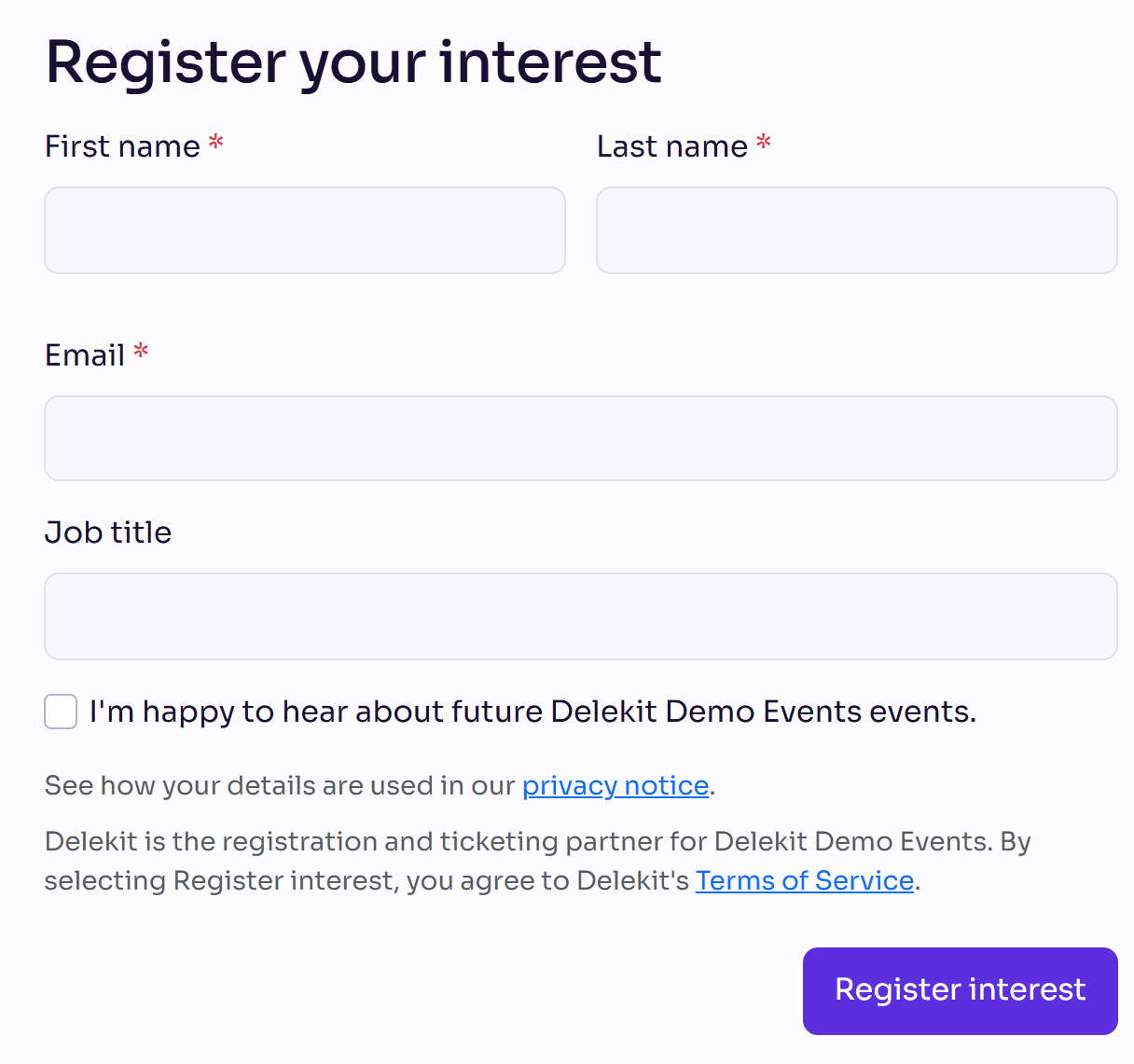
They're added as Registered interest, with no registration type, and get the email you chose. Someone already registered or invited is left as they are.
On an invite-only Register page, visitors without an invitation see Register your interest. See Make registration invite-only.
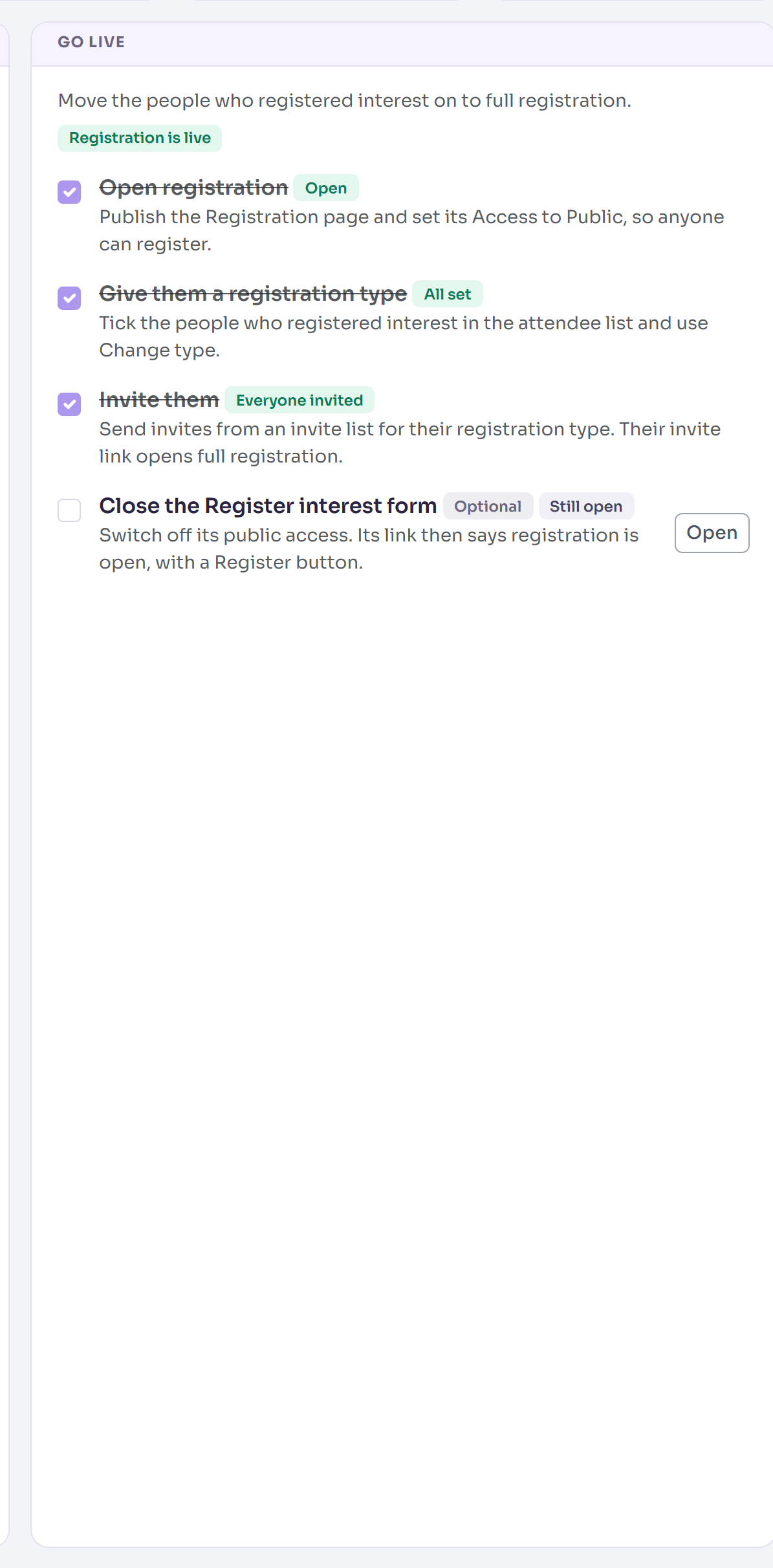
The Setup checklist gets a Publish register interest form step and a Go live card. Its figures show who registered interest, who's still Waiting for an invite, who's Invited and who has Registered.
Move them on to registration
The Go live card ticks each step as it's done. In the menu, select Event, then Setup checklist, and select Open on a step to go there.
- Open registration: publish the Register page with its Access set to Public. See Make registration public, invite-only or password-protected.
- Give them a registration type: on Attendees, tick the people who registered interest and select Actions, then Change registration type.
- Invite them: send invites from the invite list for their type. Their invite link opens full registration. See Send or schedule invitations.
- Close the Register interest form (optional): in the form's settings, turn off Enabled under Public access, then select Save settings. Its link then says registration is open, with a Register now button, once registration is open to everyone.
Check it works
Open the Register interest link in a private browser window and register interest with your own email. You appear on Attendees as Registered interest, and the Go live card's Registered interest figure goes up.
If something isn't right
- "A registration form for this purpose already exists for the selected event site." The event has a register interest form already: open that one.
- "This form isn't available yet." The form isn't published: select Publish form in the builder.
- Your email isn't in the Register interest email list: only published Register interest templates of the event or your organisation are listed.
- "We're no longer taking registrations of interest." Public access is off. Turn Enabled back on to take interest again.
Related articles
- Attendee statuses explained
- Use the setup checklist to launch your event
- Cancel, decline and additional-information forms
Still stuck? Contact Delekit support.
Was this article helpful?
That’s Great!
Thank you for your feedback
Sorry! We couldn't be helpful
Thank you for your feedback
Feedback sent
We appreciate your effort and will try to fix the article