Audience: event administrators and client administrators. Applies to: plans that include the registration form builder. If Email templates shows a padlock in the menu, it isn't in your plan.
Every email Delekit sends for your event, when it goes, and where you choose its template. Delekit only ever sends the published version of a template, so a draft changes nothing until you publish it.
To see where each of your event's emails comes from, select Registration, then Email templates, then the email templates button (for example All email templates set up). The list shows each email with when it's sent.
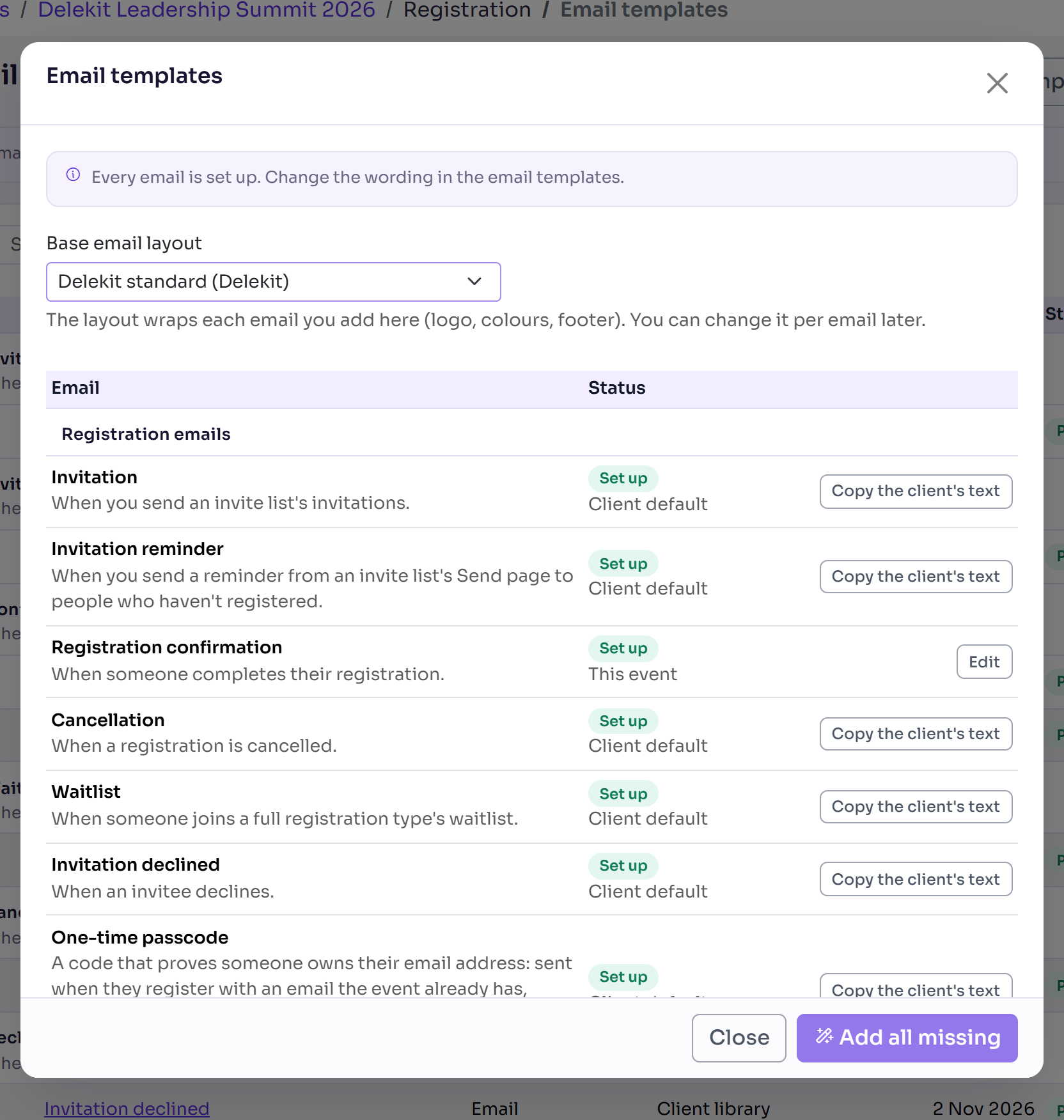
Registration emails
These go to attendees. Most are chosen on an invite list (a group of registration types and the emails its members get): each person gets the template chosen on their own invite list, in their language where the list has one. There's no fallback to another list, so if their list has no template of that kind chosen, the email isn't sent.
| When it's sent | Where it's chosen | |
|---|---|---|
| Invitation | When you send an invite list's invitations. | Invite list |
| Invitation reminder | When you send a reminder from an invite list's Send page to people who haven't registered. | Invite list |
| Registration confirmation | When someone completes their registration. | Invite list (required) |
| Cancellation | When a registration is cancelled. | Invite list (required) |
| Waitlist | When someone joins a full registration type's waitlist. | Invite list |
| Invitation declined | When an invitee declines. | Invite list |
| One-time passcode | A code that proves someone owns their email address: sent when they register with an email the event already has, reopen an invite link they've started, or open their registration to change it. | The event's template, else your organisation's, else Delekit's, so a code is always sent |
| E-ticket | When an attendee asks for their ticket by email. | Invite list |
| Guest details request | When a booking still needs its guests' details (and as reminders). | Invite list |
| Guest details invite | When a booker asks a guest to fill in their own details. | Invite list |
| Register interest | When someone registers their interest, before full registration opens. | The Register interest form |
Confirmation and Cancellation are required on every invite list. To choose the others, see Create an invite list.
Sponsor and speaker portal emails
These go to the people on your sponsors' and speakers' teams, not to attendees.
| When it's sent | |
|---|---|
| Portal invite | When you invite someone to the portal. |
| Portal sign-in code | When someone asks for a code to sign in. |
| Portal approval outcome | When you ask for changes to something that was submitted. |
| Portal task reminder | Before and after a task's due date (coming soon). |
| Portal announcement | When you post an announcement to sponsors or speakers (coming soon). |
Portal invite, Portal sign-in code and Portal approval outcome must be set up before portal invites can go out. The two marked coming soon aren't sent yet, so setting them up is optional.
Emails you send yourself
- Communications send an email you write, or one of your templates, to the attendees you choose. An email written there is saved as a Custom notification email template. See Send an email to attendees (Communication).
- Send email on an attendee's page sends one of those templates to that person. See Send or resend an email to one attendee.
Every email's layout
Each email is wrapped in its email layout (the header and footer around it), or in Delekit's standard layout when it has none. See Brand your emails with an email layout.
Related articles
- Set up your event's email templates
- Change the wording of an email
- Personalise emails with data tags
- Check your emails on the Email queue
Still stuck? Contact Delekit support.
Was this article helpful?
That’s Great!
Thank you for your feedback
Sorry! We couldn't be helpful
Thank you for your feedback
Feedback sent
We appreciate your effort and will try to fix the article